
|
Do it yourself
| |||
| ||||


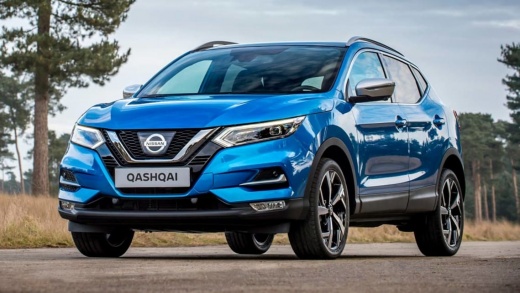
How to Display the Chassis Control Screen on the Nissan Qashqai J11
Model: Nissan Qashqai
J11
- Years:
2014, 2015, 2016, 2017, 2018, 2019, 2020, 2021, 2022
Video tutorial
In this video, you will see how to display the chassis control screen on the Qashqai J11: this system, based on the driver's style, monitors and applies braking force to individual wheels to maintain a linear response during braking and to assist with cornering trajectories. Go to settings, then select "driver assistance" and choose the submenu "chassis control". Tick the option, then return to "display settings" and navigate to the submenu "Sel. Main Men." This way, you will always visually monitor the function.
Updated on 19 September 2026 by ScegliAuto
Related tutorials
Nissan Qashqai
(2014-2022 /
J11)
In this video we can see how to check if the touch screen of the Nissan Qashqai J11 is defective, or if it just needs calibration: hold down the conf…

Nissan Qashqai
(2014-2022 /
J11)
Below, discover where the OBD port of your Nissan Qashqai J11 (2014-2022) is located. This port allows you to connect any compatible diagnostic tool …

Nissan Qashqai
(2014-2022 /
J11)
The steps to complete the replacement of the gear knob on your Nissan Qashqai J11 are very simple, and you just need to read the following guide to a…
Other guides you may be interested in |
How to Remove the Toll Tag Holder from the Car Windscreen
The toll tag holder is usually attached to the car windscreen to ensure that the toll tag functions immediately when passing through barriers. However, if you decide to remove the holder, you should follow this procedure: - Insert the toll tag into the holder; - Pull the holder inwards to detach it from the windscreen; you can use a glass scraper or a stiff plastic card to assist you; After removing the holder, it is essential to remove the adhesive from the windscreen. To remove the adhesive, we recommend using a solvent-based spray that will remove the glue without clouding the area. by ScegliAuto More videos
|
|
For advertising on this site Write to info@scegliauto.com
ScegliAuto is not responsible for any inaccuracy of the data in the lists. To report any inaccuracy or your business (if you own the business in question), please write to info@scegliauto.com
Number of seconds to generate the page: 0.019
(c) ScegliAuto 2026 - info@scegliauto.com - Privacy policy VAT number: IT01247470535 |
