
|
Do it yourself
| |||
| ||||


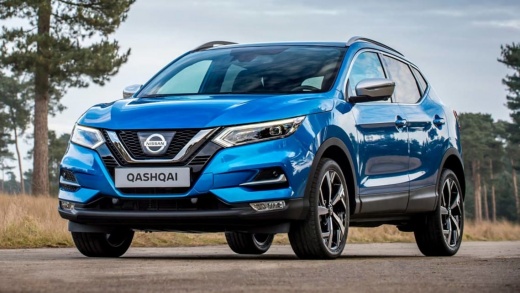
How to Replace the Rear Wiper Blade on a Nissan Qashqai
Model: Nissan Qashqai
J11
- Years:
2014, 2015, 2016, 2017, 2018, 2019, 2020, 2021, 2022
Video tutorial
To replace the rear wiper blade on a Nissan Qashqai, start by gently lifting the rear wiper arm away from the rear screen. You may feel slight resistance due to the spring holding the arm in place, but continue lifting until it is vertical. Observe the base of the blade where it connects to the wiper arm. You will find a small tab or plastic clip holding the blade in place. Press this tab or clip to release the blade from the arm. It may be helpful to use a small flathead screwdriver to pry it, but be careful not to damage the clip. Once the tab is pressed, slide the blade down to remove it from the wiper arm. Have the new blade ready. Align the new wiper with the arm, ensuring it is in the same position as the old blade. Push the new blade onto the arm until you hear a click, indicating it is securely attached. Gently lower the wiper arm back against the rear screen. Before considering the job complete, it is a good idea to test the new wiper by turning on the rear wiper to ensure it works correctly and clears the glass without issues. If everything works as expected, you have successfully replaced the rear wiper blade on your Nissan Qashqai.
Updated on 16 October 2026 by ScegliAuto
Related tutorials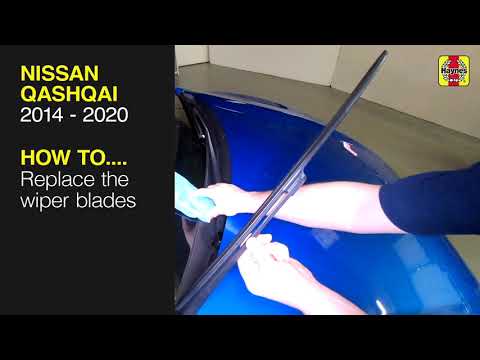
Nissan Qashqai
(2014-2022 /
J11)
In this tutorial, you will see how to replace the front wipers on the Nissan Qashqai, a very simple and quick operation. First, ensure that the wiper…

Nissan Qashqai
(2014-2022 /
J11)
If you need to replace the wiper blades on this model of Japanese car because they are worn, you will find the information and operations to perform …

Nissan Qashqai
(2006-2014 /
J10)
Wiper blades on any vehicle should be replaced every 6 months or at least once a year. This simple and quick operation can be done independently, and…
Other guides you may be interested in |
How to reset the tyre pressure warning light on the Kia Niro EV?
To reset the tyre pressure warning light on the Kia Niro EV, inflate the tyres until they reach the correct pressure value. This value is indicated on the sticker attached to the driver's door pillar. Once the tyres are inflated, turn on the instrument cluster to check that the warning light has completely disappeared from the display. If it is still present, you may need to drive for a few miles to ensure it disappears completely from the screen. by ScegliAuto More videos
|
|
For advertising on this site Write to info@scegliauto.com
ScegliAuto is not responsible for any inaccuracy of the data in the lists. To report any inaccuracy or your business (if you own the business in question), please write to info@scegliauto.com
Number of seconds to generate the page: 0.016
(c) ScegliAuto 2026 - info@scegliauto.com - Privacy policy VAT number: IT01247470535 |
