
|
Do it yourself
| |||
| ||||


How to reset the service light of the Nissan Dualis
Model: Nissan Nissan Various
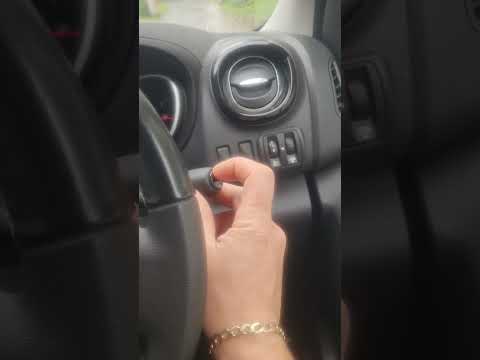
In the following guide, we will discover together how to correctly reset the service light on the instrument panel of your Nissan Dualis. First of all, make sure that the panel is turned on, then press the button located below the display and more precisely near the speedometer multiple times. Next, locate the "Settings" option and rotate the same button used before clockwise. Then select the "Maintenance" option and press "Service". Finally, select "Reset" and proceed with resetting the light.
Posted on 18 August 2024 by ScegliAuto
Video tutorial
Related tutorials
Nissan Nissan Various
In this guide for your 2014 Nissan Dualis, discover how to manually reset the service light without using professional diagnostic tools. First, turn …
Nissan Nissan Various
If you have just serviced your 2021 Nissan NV300 and the service light continues to stay on the dashboard, do not worry as you can easily complete th…

Nissan Nissan Various
To reset the "Service" light on a Nissan NV300, start by turning on the instrument panel without starting the engine. To access the onboard computer …
Other guides you may be interested in
|
Fuses Location and Diagram for the Volkswagen Crafter
In this guide, we will look at the location of the fuse boxes and how to find their diagram for the Volkswagen Crafter. First, get inside the vehicle and start by removing the plastic cover found under the steering wheel, to access the internal fuse box; you will find another fuse box in the engine compartment by removing the plastic cover located next to the battery. At this point, use the owner's manual to find the fuse diagram, which will allow you to identify and replace any blown fuses with new ones! by ScegliAuto More videos
|
|
For advertising on this site Write to info@scegliauto.com
ScegliAuto is not responsible for any inaccuracy of the data in the lists. To report any inaccuracy or your business (if you own the business in question), please write to info@scegliauto.com
Number of seconds to generate the page: 0.092
(c) ScegliAuto 2026 - info@scegliauto.com - Privacy policy VAT number: IT01247470535 |
