
|
Do it yourself
| |||
| ||||


Vauxhall Mokka - Onboard computerOnboard Computer Vauxhall Mokka (2020-2027 / mokka b) Vauxhall Mokka (2020-2026 / Mokkab)
How to Change the Language on an Opel Mokka and Crossland X Learn how to change the language on an Opel Mokka and Crossland X: turn on the ignition and go to the main menu of the infotainment system (touchscreen), look …Read all… Posted on 4 May 2026 by ScegliAuto  Vauxhall Mokka (2020-2026 / Mokkab)
How to Use the Cruise Control on an Opel Mokka Let's see how to use the cruise control on an Opel Mokka: the operation is very intuitive and is managed via the buttons on the steering wheel. To activate and …Read all… Posted on 21 April 2026 by ScegliAuto  Vauxhall Mokka (2012-2019 / Mokkaa)
How to Convert Miles to Kilometres on an Opel/Vauxhall Mokka In this video, we’ll show you how to convert miles to kilometres (and vice versa): insert the key into the ignition and turn it to the second position …Read all… Posted on 15 March 2026 by ScegliAuto  Vauxhall Mokka (2020-2026 / Mokkab)
The message "C0750" on the onboard computer of the Opel Mokka refers to a diagnostic trouble code (DTC) related to the vehicle's systems. Specifically, it often indicates an issue with the vehicle's wheel speed sensors or the anti-lock braking system (ABS When the code C0750 appears on the onboard computer of our Opel Mokka, it indicates a fault in the tire pressure monitoring system, specifically pointing to a …Read all… Posted on 29 November 2025 by ScegliAuto  Vauxhall Mokka (2012-2019 / Mokkaa)
How to reset the Opel Mokka to factory settings If the infotainment system of your first series Opel Mokka presents anomalies at the software level, do not worry because in the following guide we will …Read all… Posted on 8 November 2024 by ScegliAuto  Vauxhall Mokka (2020-2026 / Mokkab)
How does Opel Mokka's Intelli-Link work? In this video, we see how the onboard computer of the Opel Mokka version B, called "Intelli-Link", works, which has an 8" touchscreen with functionalities …Read all… Posted on 26 September 2024 by ScegliAuto  Vauxhall Mokka (2020-2026 / Mokkab)
How to connect your smartphone to the Opel Mokka E In this video we see how to connect our smartphone to the Opel Mokka e version. We can access both from the audio and from the phone. Click on "connect phone" …Read all… Posted on 21 May 2024 by ScegliAuto 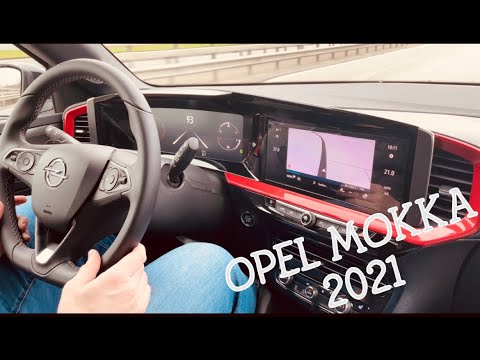 Vauxhall Mokka (2020-2026 / Mokkab)
How to Activate the Cruise Control on the Opel Mokka If your vehicle is equipped with cruise control, the description below and the tutorial video will provide information on how to activate and use it. Adaptive …Read all… Posted on 7 August 2026 by ScegliAuto 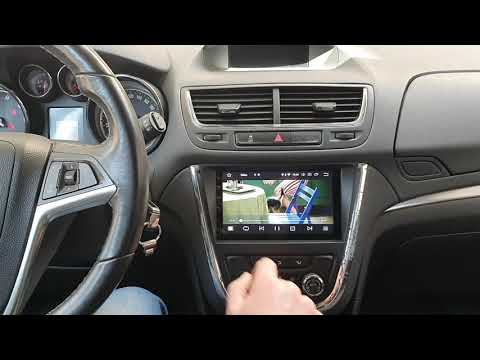 Vauxhall Mokka (2012-2019 / Mokkaa)
Replacing the On-Board Computer on an Opel Mokka X Get a plastic wedge and first remove the left part of the trim by prying it at the gap. Similarly, remove the central part, which is the frame of the radio …Read all… Posted on 17 May 2026 by ScegliAuto Onboard Computer Vauxhall Mokka (2012-2019 / mokka a)
Vauxhall Mokka (2020-2026 / Mokkab)How to Change the Language on an Opel Mokka and Crossland X Learn how to change the language on an Opel Mokka and Crossland X: turn on the ignition and go to the main menu of the infotainment system (touchscreen), look …Read all… Posted on 4 May 2026 by ScegliAuto
Vauxhall Mokka (2020-2026 / Mokkab)How to Use the Cruise Control on an Opel Mokka Let's see how to use the cruise control on an Opel Mokka: the operation is very intuitive and is managed via the buttons on the steering wheel. To activate and …Read all… Posted on 21 April 2026 by ScegliAuto
Vauxhall Mokka (2012-2019 / Mokkaa)How to Convert Miles to Kilometres on an Opel/Vauxhall Mokka In this video, we’ll show you how to convert miles to kilometres (and vice versa): insert the key into the ignition and turn it to the second position …Read all… Posted on 15 March 2026 by ScegliAuto
Vauxhall Mokka (2020-2026 / Mokkab)The message "C0750" on the onboard computer of the Opel Mokka refers to a diagnostic trouble code (DTC) related to the vehicle's systems. Specifically, it often indicates an issue with the vehicle's wheel speed sensors or the anti-lock braking system (ABS When the code C0750 appears on the onboard computer of our Opel Mokka, it indicates a fault in the tire pressure monitoring system, specifically pointing to a …Read all… Posted on 29 November 2025 by ScegliAuto
Vauxhall Mokka (2012-2019 / Mokkaa)How to reset the Opel Mokka to factory settings If the infotainment system of your first series Opel Mokka presents anomalies at the software level, do not worry because in the following guide we will …Read all… Posted on 8 November 2024 by ScegliAuto
Vauxhall Mokka (2020-2026 / Mokkab)How does Opel Mokka's Intelli-Link work? In this video, we see how the onboard computer of the Opel Mokka version B, called "Intelli-Link", works, which has an 8" touchscreen with functionalities …Read all… Posted on 26 September 2024 by ScegliAuto
Vauxhall Mokka (2020-2026 / Mokkab)How to connect your smartphone to the Opel Mokka E In this video we see how to connect our smartphone to the Opel Mokka e version. We can access both from the audio and from the phone. Click on "connect phone" …Read all… Posted on 21 May 2024 by ScegliAuto
Vauxhall Mokka (2020-2026 / Mokkab)How to Activate the Cruise Control on the Opel Mokka If your vehicle is equipped with cruise control, the description below and the tutorial video will provide information on how to activate and use it. Adaptive …Read all… Posted on 7 August 2026 by ScegliAuto
Vauxhall Mokka (2012-2019 / Mokkaa)Replacing the On-Board Computer on an Opel Mokka X Get a plastic wedge and first remove the left part of the trim by prying it at the gap. Similarly, remove the central part, which is the frame of the radio …Read all… Posted on 17 May 2026 by ScegliAuto Cigarette lighter (1) Airbag (4) Antenna (1) Car stereo (8) Battery (4) Transmission (1) Spark plugs (3) Glow plugs (1) Body (5) Key (20) Timing belt (16) V-belt (1) Onboard computer (9) Checks and maintenance (32) Dashboard (3) Brake rotors (2) Side marker light (3) Headlight (2) Tail light (2) Fog lights (4) Air filter (13) Cabin air filter (28) Fuel filter (1) Diesel fuel filter (6) Oil filter (6) Parking brake (13) Accessory kit (1) Light bulb (5) Side marker bulb (1) Headlight bulb (17) Tail light bulb (9) Interior dome light bulb (1) Antifreeze coolant (1) Instrument panel light (1) License plate light (2) Handle (1) Engine (2) Engine oil (8) Clock (13) Door trim panel (3) Front bumper (1) Rear bumper (2) Brake pads (6) Tires (1) Shift knob (2) Pump (2) Car door (1) Push button (1) Instrument cluster (3) Wheel (1) Fuse box (23) Seat (6) Engine coolant temperature sensor (1) Brake system (1) Warning light – error code (18) (36) Tire pressure warning light (11) Service warning light (90) Fuel cap (2) Windshield wipers (10) Thermostat (1) EGR valve (3) Side window (1) |
How to Set the Clock on the Opel Zafira
Setting the clock to the current Italian time on an Opel Zafira model B is a very simple operation, also made easier by our short instructional video. The first step is to turn on the instrument panel and then press the SETTING button located on the central dashboard. Once inside the menu, use the buttons to navigate to the clock setting. Adjust the hours and minutes and restart the instrument panel. If the clock does not update, it may be necessary to diagnose the radio or the vehicle's control unit. by ScegliAuto More videos
|
|
For advertising on this site Write to info@scegliauto.com
ScegliAuto is not responsible for any inaccuracy of the data in the lists. To report any inaccuracy or your business (if you own the business in question), please write to info@scegliauto.com
Number of seconds to generate the page: 0.048
(c) ScegliAuto 2026 - info@scegliauto.com - Privacy policy VAT number: IT01247470535 |
