
|
Do it yourself
| |||
| ||||


Where can I find the sticker with instructions for resetting the TPMS light on an Opel Meriva 2 vehicle?
Model: Vauxhall Meriva
MK 2, Meriva B
- Years 2010-2017
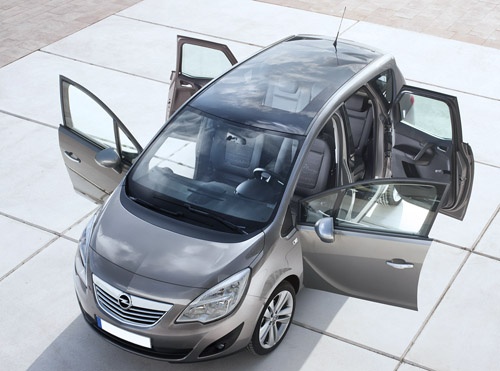
When it is necessary to reset the TPMS light, related to tire pressure on an Opel Meriva model 2 vehicle, it is necessary to know the correct pressure level to set. On this type of vehicle, there is a sticker with the necessary instructions set by the manufacturer. This sticker is placed on the side of the door on both the driver's and passenger's side. By following the instructions, you can achieve optimal conditions for the proper functioning of the vehicle, avoiding issues with road performance and tire pressure sensor readings.
Posted on 17 December 2024 by ScegliAuto
Video tutorial
Related tutorials
Vauxhall Meriva
(2010-2017 /
MK 2, Meriva B)
The OBD port on an Opel Meriva model b vehicle is located inside the cabin, specifically the port is located under a cover of the handbrake. To acces…

Vauxhall Meriva
(2010-2017 /
MK 2, Meriva B)
The Opel Meriva, like many Opel vehicles, has a diagnostic port also known as the OBD port. Its use is essential for scanning the vehicle in a worksh…

Vauxhall Meriva
(2003-2010 /
Meriva A, MK 1)
Each fuse of the Opel Meriva is responsible for the operation of the corresponding device installed on the vehicle: these fuses are enclosed inside t…
Other guides you may be interested in |
Frequently Asked QuestionsHow to Open the Bonnet on the Lancia Y
To open the bonnet on this vehicle, follow these simple instructions: first, open the driver's door and locate the lever positioned just below the dashboard, marked with an image of the vehicle with the bonnet open. Pull this lever towards you until you hear a "click" indicating the bonnet is released. Next, exit the cabin and stand in front of the bonnet to disengage the safety catch and complete the opening. To do this, slightly lift the bonnet, locate the yellow lever underneath, and pull it to the left to fully release and open the bonnet. by ScegliAuto More videos
|
|
For advertising on this site Write to info@scegliauto.com
ScegliAuto is not responsible for any inaccuracy of the data in the lists. To report any inaccuracy or your business (if you own the business in question), please write to info@scegliauto.com
Number of seconds to generate the page: 0.355
(c) ScegliAuto 2026 - info@scegliauto.com - Privacy policy VAT number: IT01247470535 |
