
|
Do it yourself
| |||
| ||||


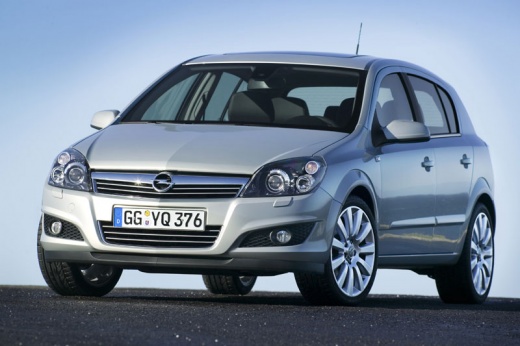
How do you reset error code 59 in the Opel Astra?
Model: Vauxhall Astra
Astra H
- Years:
2004, 2005, 2006, 2007, 2008, 2009, 2010
Video tutorial
Before talking about resetting the error in question, it is important to know what it is referring to, that is, which component we are talking about, and in this case it is the driver's window and the failure to recognize its start and end position after disconnecting the car's power supply battery. The reset is done, by watching the video, through a PC and specific software connected to the control unit through the Obd socket. With the instrument panel on, the car model is selected and step by step anomalies and warning lights to be reset are reached. Such devices are usually found in car repair shops.
Posted on 21 January 2025 by ScegliAuto
Related tutorials
Vauxhall Astra
(2009-2016 /
Astra J)
Error code 82 indicates that the oil change interval level has been reached. This error code activates on all Opel vehicles. Today, we will specifica…

Vauxhall Astra
(2009-2016 /
Astra J)
Error code 24 on the instrument panel of the Opel Astra model J indicates a malfunction of the number plate light bulb. To reset the error code, it i…

Vauxhall Astra
(2009-2016 /
Astra J)
When the "error 24" code appears on the Opel Astra's instrument panel display, it means that the license plate light bulb needs to be replaced. To re…
Other guides you may be interested in
|
Frequently Asked QuestionsHow to Open the Bonnet on the Mitsubishi L200?
In this tutorial, you will see how to open the bonnet on the Mitsubishi L200, a very simple operation that follows the standard procedure. First, open the vehicle and go to the driver's side, then locate the lever at the lower outer area, just in front of the pedals, and pull it. Next, position yourself in front of the bonnet, locate the second lever above the Mitsubishi logo, and push it to the right, releasing the latch. At this point, you can fully lift the bonnet and secure it with the prop rod. by ScegliAuto More videos
|
|
For advertising on this site Write to info@scegliauto.com
ScegliAuto is not responsible for any inaccuracy of the data in the lists. To report any inaccuracy or your business (if you own the business in question), please write to info@scegliauto.com
Number of seconds to generate the page: 0.045
(c) ScegliAuto 2026 - info@scegliauto.com - Privacy policy VAT number: IT01247470535 |
