
|
Do it yourself
| |||
| ||||


How do you reset the Service light on the Opel Astra?
Model: Vauxhall Astra
Astra J
- Years 2009-2016
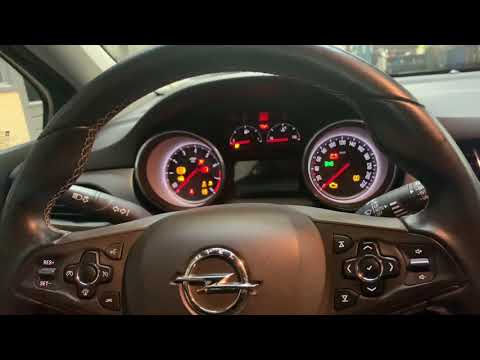
To completely reset the Service light that is displayed on the instrument panel of the Opel Astra, you will need to insert the ignition key into the corresponding slot and turn it to turn on the instrument panel. Once the panel is turned on, you can press the MENU button on the lever to the left of the steering wheel, moving inside it using the arrows on the lever itself. When you find the maintenance option, press the SET/CLR button: a confirmation message will appear. By selecting "Yes" with the same buttons on the left lever, you will see that the light is reset.
Posted on 22 May 2025 by ScegliAuto
Video tutorial
Related tutorials
Vauxhall Astra
(2015-2022 /
Astra K)
To help those who may not know how to reset the service expiration warning for their Opel Astra K, here is the attached video guide. It first shows t…

Vauxhall Astra
(2009-2016 /
Astra J)
In order to reset the Service light that appears on the instrument panel of the Opel Astra, you need to insert the ignition key into the ignition swi…
Vauxhall Astra
(2015-2022 /
Astra K)
To reset the service light on an Opel Astra, turn the key to switch on the instrument cluster: you will need to navigate the menu using the direction…
Other guides you may be interested in
|
How to Remove the Headrests from a Fiat Panda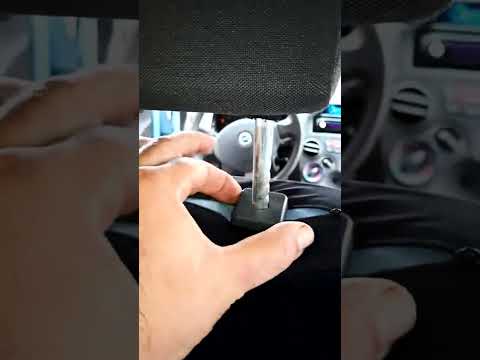
Below are the instructions to remove the headrests, both front and rear, from the Fiat Panda. First, get inside the vehicle and press and hold the side button located at the base of the headrest. Then, while holding the button, pull the headrest upwards to remove it, as shown in the video. At this point, perform the same operation on the other headrests. Now, simply insert them back in while holding the button, and finally adjust the height of all the headrests! by ScegliAuto More videos
|
|
For advertising on this site Write to info@scegliauto.com
ScegliAuto is not responsible for any inaccuracy of the data in the lists. To report any inaccuracy or your business (if you own the business in question), please write to info@scegliauto.com
Number of seconds to generate the page: 0.305
(c) ScegliAuto 2026 - info@scegliauto.com - Privacy policy VAT number: IT01247470535 |
