
|
Do it yourself
| |||
| ||||


How do you reset the display of the Opel Astra K?
Model: Vauxhall Astra
Astra K
- Years:
2015, 2016, 2017, 2018, 2019, 2020, 2021, 2022
Video tutorial
An idea of the central display, positioned on the dashboard of the Opel Astra K, can be obtained by watching this short video. What can suddenly happen? Being an electronic device, like any other and also of a different kind, it could encounter occasional malfunctions of very short duration, not respond to commands, freeze on a certain screen, etc. Faced with such inconveniences, it is preferable, before turning to a technical assistance center, to try resetting the equipment, which involves disconnecting the protective fuse of the latter and reconnecting it after a few seconds.
Posted on 2 October 2025 by ScegliAuto
Related tutorials
Vauxhall Astra
(2021-2026 /
Astra L)
If the screen of a vehicle is unresponsive to any commands and is essentially frozen, it does not necessarily mean it is damaged and needs repair at …

Vauxhall Astra
(2004-2010 /
Astra H)
To reset the car radio of the Opel Astra, insert the ignition key into the corresponding slot: once the dashboard is powered on, you can press and ho…
Vauxhall Astra
(1998-2006 /
Astra G)
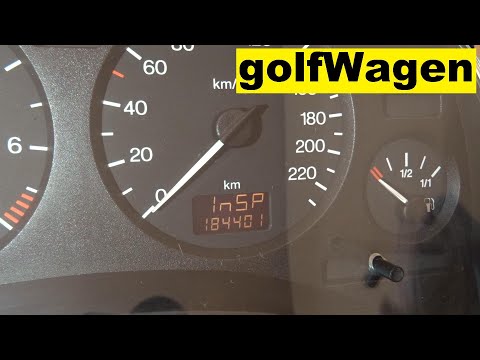
In this tutorial, you will see how to reset the service light on the Opel Astra, a very simple and quick operation. Before doing this, ensure that yo…
Other guides you may be interested in
|
How to Open the Bonnet on the Mitsubishi L200?
In this tutorial, you will see how to open the bonnet on the Mitsubishi L200, a very simple operation that follows the standard procedure. First, open the vehicle and go to the driver's side, then locate the lever at the lower outer area, just in front of the pedals, and pull it. Next, position yourself in front of the bonnet, locate the second lever above the Mitsubishi logo, and push it to the right, releasing the latch. At this point, you can fully lift the bonnet and secure it with the prop rod. by ScegliAuto More videos
|
|
For advertising on this site Write to info@scegliauto.com
ScegliAuto is not responsible for any inaccuracy of the data in the lists. To report any inaccuracy or your business (if you own the business in question), please write to info@scegliauto.com
Number of seconds to generate the page: 0.018
(c) ScegliAuto 2026 - info@scegliauto.com - Privacy policy VAT number: IT01247470535 |
