
|
Do it yourself
| |||
| ||||


How to program the remote key of the Opel Adam
Model: Vauxhall Adam
MK 1
- Years 2013-2019
On your Opel Adam, programming the remote key is done by following the sequence shown on the screens: prepare the new key (with a virgin transponder and a functioning remote battery), turn the ignition to ON with a valid key, and access the learning procedure; then insert the new key and complete the pairing with the immobilizer. Once the learning is finished, synchronize the remote control commands (lock/unlock) as indicated: after the on-screen confirmation, check the operation on the locks and starting. If the procedure does not start or is not accepted, check the battery status of the remote, the compatibility of the transponder, and repeat the steps while respecting the timing of the buttons. Finally, test the remote locking/unlocking and starting without hesitation to confirm correct learning.
Posted on 8 December 2025 by ScegliAuto
Video tutorial
Related tutorials
Vauxhall Adam
(2013-2019 /
MK 1)
In order to replace the battery of the Opel Adam remote control, you need to press the button located on the top of the device, so that the key ring …

Vauxhall Adam
(2013-2019 /
MK 1)
Resetting the service in the Opel Adam, as we can see in this tutorial, is an extremely simple and quick operation. Before proceeding, we must have c…

Vauxhall Adam
(2013-2019 /
MK 1)
In this tutorial we can see how to reset the service in the Opel Adam, an extremely simple and fast operation, to be carried out only once all schedu…
Other guides you may be interested in
|
How to Check the Oil Level on a Jeep Renegade?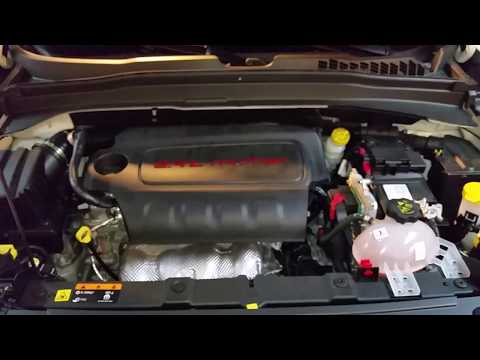
To check the oil level on a Jeep Renegade, you need to open the bonnet to access the components inside the engine bay: on the lower left side of the engine block, you will find the dipstick for checking the level. This should be pulled out and thoroughly cleaned with a cloth: once cleaned, reinsert it back into its tube and pull it out immediately after. This way, you can check that the oil mark is between the minimum and maximum levels; finally, you can place the dipstick back in its tube. by ScegliAuto More videos
|

|
For advertising on this site Write to info@scegliauto.com
ScegliAuto is not responsible for any inaccuracy of the data in the lists. To report any inaccuracy or your business (if you own the business in question), please write to info@scegliauto.com
Number of seconds to generate the page: 0.801
(c) ScegliAuto 2026 - info@scegliauto.com - Privacy policy VAT number: IT01247470535 |
