
|
Do it yourself
| |||
| ||||


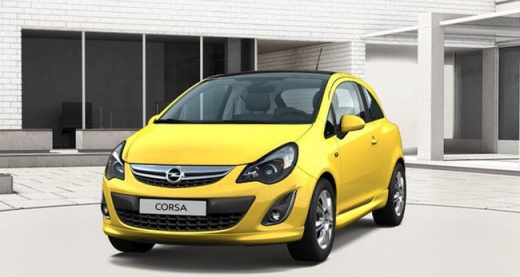
Hidden Options in the Opel Corsa D Menu
Model: Vauxhall Corsa
Corsa D
- Years 2006-2014
Let's see how to enter the configuration menu of the Opel Corsa D and activate or deactivate extra functions. Insert the key and turn it to the first click position. Simultaneously press both levers (indicators and wipers) backwards and hold them for a few seconds. This will put the dashboard into configuration mode. To navigate, move the left lever (indicators) to change the menu item, while the wiper lever is used to activate or deactivate the selected item. Selectable functions include welcome lights, automatic rear wiper, three-flash indicator for lane changes, automatic door locking over a certain speed, speed warning setting, and the volume of the indicator sound.
Posted on 25 February 2026 by ScegliAuto
Video tutorial
Related tutorials
Vauxhall Corsa
(2019-2026 /
Corsa F)
The car considered and shown in the video is a 2021 Opel Crossland, but the characteristics of the touchscreen monitor on which to make your choices …

Vauxhall Corsa
(2019-2026 /
Corsa F)
The choice of language for the menu of a car is often intuitive, as proven by the Opel Corsa f in question. We have a first control menu present in t…

Vauxhall Corsa
(2019-2026 /
Corsa F)
The possibility to set the language of the menu in the Opel Corsa 2023 is just one of the many available operations, in fact the settings offered are…
Other guides you may be interested in
|
How to Open a Stuck Boot on the Peugeot 407?
On the Peugeot 407, the boot may become stuck, possibly due to a problem with the control button or the lock actuator. In such cases, you can perform an emergency opening by following the simple procedure shown in this tutorial. First, open the rear doors, then lower the seat back by operating the release lever. Next, go inside the boot, locate the lock, and manually operate it using a flathead screwdriver. The boot will then be free to open. by ScegliAuto More videos
|
|
For advertising on this site Write to info@scegliauto.com
ScegliAuto is not responsible for any inaccuracy of the data in the lists. To report any inaccuracy or your business (if you own the business in question), please write to info@scegliauto.com
Number of seconds to generate the page: 1.285
(c) ScegliAuto 2026 - info@scegliauto.com - Privacy policy VAT number: IT01247470535 |
