
|
Do it yourself
| |||
| ||||


How to Reset the Onboard Computer in the Opel Grandland X?
Model: Vauxhall Grandland X
MK 1
- Years 2017-2024
In this tutorial, you will see how to reset the onboard computer in the Opel Grandland X, a very simple and quick operation, for example, as a troubleshooting attempt or after a change of ownership. First, enter the cabin, then insert the key and turn on the instrument panel. Next, press the "SET" button on the central console, go to "OPTIONS", "System settings", "Factory settings", "Reset", and confirm your choice. At this point, just wait for the system to restart and check that the issues are resolved.
Posted on 4 July 2026 by ScegliAuto
Video tutorial
Related tutorials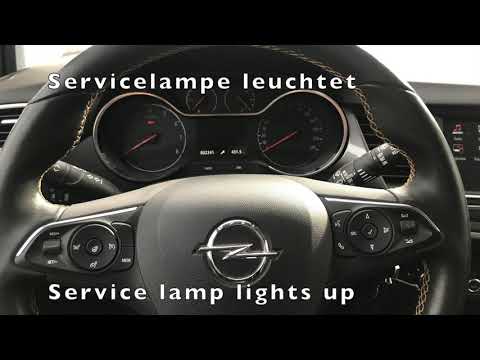
Vauxhall Grandland X
(2017-2024 /
MK 1)
In today's video, we will see how to reset the service overdue message on the onboard computer. Specifically, we will focus on the large SUV from Ope…

Vauxhall Grandland X
(2017-2024 /
MK 1)
Today, I will explain how to reset the tyre pressure warning light on a 2025 Opel Grandland X. To perform this operation, you need to turn on the ins…

Vauxhall Grandland X
(2017-2024 /
MK 1)
In this tutorial, you will see how to reset the on-board computer in the Opel Grandland X, a very simple and quick operation, for example, as a troub…
Other guides you may be interested in
|
How to Lower the Rear Seats of a Citroen C4 Grand Picasso
In this video, we see how to lower the seats of the Citroen C4 Grand Picasso: the first thing to do is remove the parcel shelf and lower the load floor. Pull down the red straps that allow you to lower the two rear seats, which we cover with the expandable load floor. Now, go to the second row and take the black strap to push the first seat forward and fold it onto itself. At the back of this, there is a panel continuing from the load area. Do the same with the centre seat and then move to the other side to complete the operation with the last seat. The reverse operation is very simple to put all the seats back in place. by ScegliAuto More videos
|
|
For advertising on this site Write to info@scegliauto.com
ScegliAuto is not responsible for any inaccuracy of the data in the lists. To report any inaccuracy or your business (if you own the business in question), please write to info@scegliauto.com
Number of seconds to generate the page: 0.124
(c) ScegliAuto 2026 - info@scegliauto.com - Privacy policy VAT number: IT01247470535 |
