
|
Do it yourself
| |||
| ||||


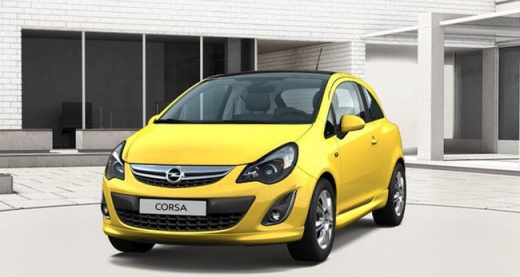
How to Remove the Rear Bearing on the Opel Corsa D?
Model: Vauxhall Corsa
Corsa D
- Years:
2006, 2007, 2008, 2009, 2010, 2011, 2012, 2013, 2014
Video tutorial
In this video tutorial, you will learn how to remove and replace the rear wheel bearing, or hub, on the Opel Corsa D, by following these simple steps. First, lift the vehicle and remove the rear wheel by unscrewing the bolts; then remove the drum by unscrewing the fixing screws with a T30 Torx screwdriver. At this point, remove the metal cotter pin and unscrew the central nut of the bearing to remove it; now clean the inner area of the brakes and correctly install the new bearing, following the video tutorial to the end!
Updated on 25 April 2026 by ScegliAuto
Related tutorials
Vauxhall Corsa
(2006-2014 /
Corsa D)
To replace the front wheel bearing on an Opel Corsa, lift the front of the vehicle and remove the affected wheel. Unscrew the central nut of the hub …

Vauxhall Corsa
(2006-2014 /
Corsa D)
How do you remove the rear light from an Opel Corsa? Lift the boot to access the plastic covers in the luggage compartment. Remove the cover from the…

Vauxhall Corsa
(2000-2006 /
Corsa C)
In this video we see how to replace the clutch cable on an Opel Corsa C. The clutch cable is a mechanical component related to the clutch system, and…
Other guides you may be interested in
|
How to open the boot if it is stuck on a Mercedes B-Class?
On the Mercedes B-Class, the boot may become stuck, possibly due to a problem with the control button or the lock actuator. In this case, perform the emergency opening by following the simple procedure shown in this tutorial. First, unlock the locks with the remote control, then open the rear doors and, by operating the indicated lever, lower the backrest of the seat. Next, go inside the boot, locate the indicated gap, and manually unlock the lock using a small screwdriver. by ScegliAuto More videos
|
|
For advertising on this site Write to info@scegliauto.com
ScegliAuto is not responsible for any inaccuracy of the data in the lists. To report any inaccuracy or your business (if you own the business in question), please write to info@scegliauto.com
Number of seconds to generate the page: 0.027
(c) ScegliAuto 2026 - info@scegliauto.com - Privacy policy VAT number: IT01247470535 |
