
|
Do it yourself
| |||
| ||||


Change the Opel Adam Odometer from Miles to Kilometres
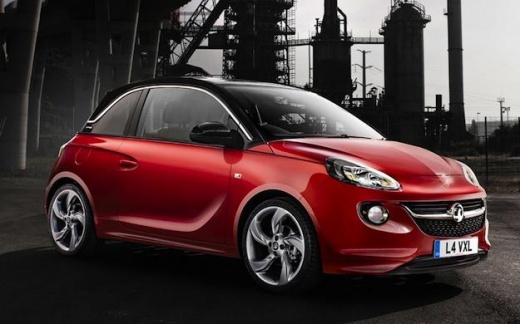
Model: Vauxhall Adam
MK 1
- Years 2013-2019
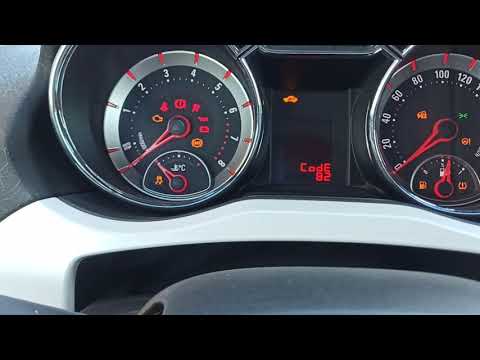
There’s nothing more frustrating than realising you’ve accidentally changed the display on your Opel Adam from kilometres to miles. Fix this by pressing the menu button located on the lever to the left of the steering wheel. The computer will highlight "set". Now press the button at the top of the lever and hold it: the "set" message will disappear and reappear shortly after. At this point, use the "up" and "down" signs on the lever to select option 1, which is the kilometres + degrees Celsius pairing, or option 2, which is the miles + degrees Fahrenheit pairing.
Updated on 24 May 2026 by ScegliAuto
Video tutorial
Related tutorials
Vauxhall Adam
(2013-2019 /
MK 1)
This guide provides instructions for removing and replacing the spark plugs on the Opel Adam 1.2; they should typically be replaced within an interva…
Vauxhall Adam
(2013-2019 /
MK 1)
Let's see the procedure to reset the service light for the routine maintenance oil change on an Opel Adam. First, get in the vehicle and turn on the …

Vauxhall Adam
(2013-2019 /
MK 1)
Today we will explain how to reset the service light on an Opel Adam car. Turn on the instrument panel of the car and press the menu button located o…
Other guides you may be interested in
|
How to Bleed the Clutch on a Renault Clio?
To bleed the clutch on a Renault Clio, open the bonnet to access the components located in the engine bay: here, you will need to undo the screws that secure the battery in its housing, the intake manifold, and the coolant reservoir. This will allow you to locate the pipe through which the brake fluid flows: by inserting the other end of the pipe into a container, you can press the clutch pedal to expel all the fluid until it fills the container. by ScegliAuto More videos
|
For advertising on this site Write to info@scegliauto.com
ScegliAuto is not responsible for any inaccuracy of the data in the lists. To report any inaccuracy or your business (if you own the business in question), please write to info@scegliauto.com
Number of seconds to generate the page: 0.361
(c) ScegliAuto 2026 - info@scegliauto.com - Privacy policy VAT number: IT01247470535 |
