
|
Do it yourself
| |||
| ||||


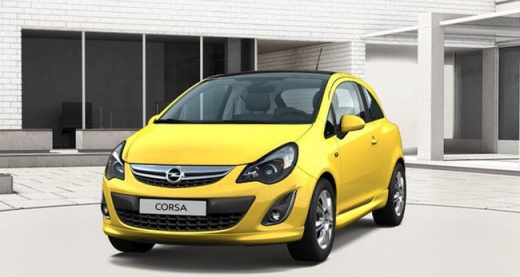
How to Reset the ESP Light on the Opel Corsa D
Model: Vauxhall Corsa
Corsa D
- Years:
2006, 2007, 2008, 2009, 2010, 2011, 2012, 2013, 2014
Video tutorial
If you notice the orange ESP light appearing when you start your Opel Corsa D, it indicates a fault with the steering angle sensor, and a manual reset is necessary to temporarily resolve the issue quickly and easily. Here’s what to do. First, centre the steering wheel. Then insert the key and switch on the instrument cluster. Now, turn the steering wheel fully to the right and then to the left. Return it to the centre position and switch off the ignition. Start the engine, and the light should now be off.
Updated on 24 June 2026 by ScegliAuto
Related tutorials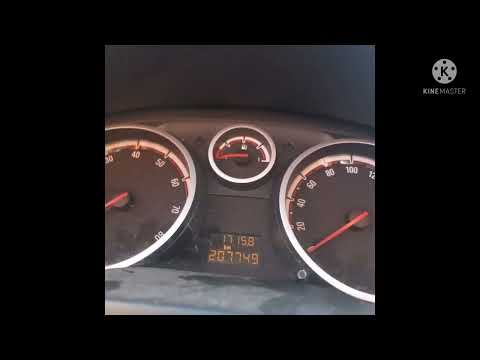
Vauxhall Corsa
(2006-2014 /
Corsa D)
If the maintenance light "Esp" on the instrument panel of your Opel Corsa D (2006-2014) lights up solidly, do not worry as you can perform this simpl…

Vauxhall Corsa
(2014-2019 /
Corsa E)
The vehicle reviewed in the video is the Opel Corsa e, and we want to know how to disable the electronic stability control, namely the ESP. It is str…

Vauxhall Corsa
(2006-2014 /
Corsa D)
This guide explains how to fit a switch to manually disable the ESP on an Opel Corsa D, using an unused switch location. Not all BCM modules support …
Other guides you may be interested in
|
Frequently Asked QuestionsWhere are the fuses located on the Renault Laguna?
On the Renault Laguna, the fuses are located inside the fuse boxes installed in the vehicle: in this car model, you will find two boxes for containing the fuses. The first is in the fuse box on the left side of the dashboard, accessible by opening the driver's door: here you will find the fuses for the windscreen wipers, fog lights, horn, etc. The second box is located on the right side of the engine compartment: here you will find the fuses for the dipped headlights, radiator fan, alternator, etc. by ScegliAuto More videos
|
For advertising on this site Write to info@scegliauto.com
ScegliAuto is not responsible for any inaccuracy of the data in the lists. To report any inaccuracy or your business (if you own the business in question), please write to info@scegliauto.com
Number of seconds to generate the page: 0.097
(c) ScegliAuto 2026 - info@scegliauto.com - Privacy policy VAT number: IT01247470535 |
