
|
Do it yourself
| |||
| ||||


How do you reset the infotainment system of the Opel Insignia?
Model: Vauxhall Insigna
MK 1, Insigna A
- Years 2008-2017
To reset the infotainment system of the Opel Insignia, you need to access the secret menu on the central display. To access this menu, first turn on the ignition by turning the ignition key in the appropriate slot. At this point, you need to press and hold the circular button located below the central display and the CONFIG button simultaneously. This will open a screen from which you can also select the option to perform a complete reset. By doing this, you will notice that all infotainment settings have been restored to factory defaults.
Posted on 5 September 2023 by ScegliAuto
Video tutorial
Related tutorials
Vauxhall Insigna
(2017-2026 /
Insigna B, MK 2)
Are you in your Opel Insignia and suddenly your infotainment touchscreen screen darkens and stops working? Unless there is a breakage or a power cabl…
Vauxhall Insigna
(2008-2017 /
MK 1, Insigna A)
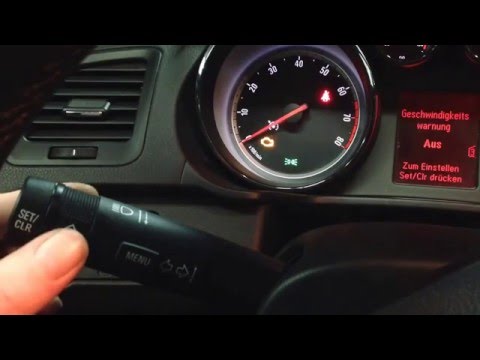
In today's video we see how to reset the Opel Insignia service. First we turn on the instrument panel of the car. We enter the selection menu by turn…

Vauxhall Insigna
(2017-2026 /
Insigna B, MK 2)
Each fuse of the Opel Insignia is located inside the appropriate fuse boxes that are installed on the vehicle: in this type of car there are two. The…
Other guides you may be interested in
|
Frequently Asked QuestionsHow to Replace the Interior Rearview Mirror on an Audi Q5
In this simple operation, follow a few straightforward steps to replace the mirror without damaging any sensitive parts of your vehicle. Start by removing the small panel that covers the pillar connecting the roof of your vehicle to the mirror. Then, using a lever, remove the lower cover. Now, simply rotate the mirror to remove it; you can use a wrench to assist with the rotation. Once the mirror is removed, install the new one by following the steps in reverse for reassembly. by ScegliAuto More videos
|
For advertising on this site Write to info@scegliauto.com
ScegliAuto is not responsible for any inaccuracy of the data in the lists. To report any inaccuracy or your business (if you own the business in question), please write to info@scegliauto.com
Number of seconds to generate the page: 0.106
(c) ScegliAuto 2026 - info@scegliauto.com - Privacy policy VAT number: IT01247470535 |
