
|
Do it yourself
| |||
| ||||



How to Reset the Service Light on the Opel Mokka
Model: Vauxhall Mokka
Mokka A
- Years:
2012, 2013, 2014, 2015, 2016, 2017, 2018, 2019
Video tutorial
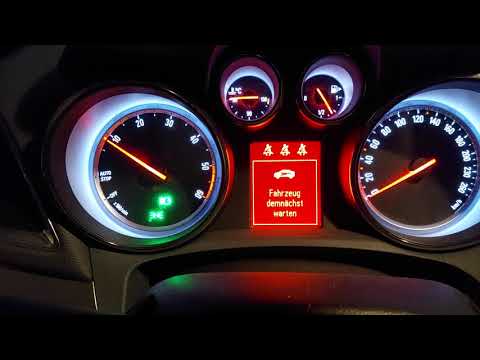
In this video, you will see how to reset the maintenance light, represented by the oil symbol, on your Opel Mokka. The procedure is very simple and takes little time. To reset the maintenance light, first start the instrument panel without starting the engine. Then, press the menu button on the stalk to the left of the steering wheel and scroll to the vehicle parameters. Once located, scroll with the wheel until you find the oil-related entry, represented by the oil light and the oil life percentage. At this point, press the SET/CLR button; the reset menu will appear. Use the wheel to select 'Yes' and then click the SET/CLR button again to confirm. The reset is now complete.
Updated on 20 August 2026 by ScegliAuto
Related tutorials
Vauxhall Mokka
(2020-2026 /
Mokka B)
If you own an Opel Mokka (year 2022) and do not know how to manually reset the tire pressure warning light that appears on the instrument panel even …
Vauxhall Mokka
(2012-2019 /
Mokka A)
If you want to reset the service light on your 2015 Opel Mokka independently and without using an electronic diagnostic tool, simply follow these ins…

Vauxhall Mokka
(2020-2026 /
Mokka B)
If you own the new Opel Mokka B (2023) and want to know how to correctly reset the service light, just follow this guide and apply the brief procedur…
Other guides you may be interested in
|
Frequently Asked QuestionsHow to Set the Time on an Audi A6
Briefly, we will see the instructions to set the time on the Audi A6 by following these simple steps. First, get inside the vehicle and turn on the instrument cluster; then press the settings button and navigate to the time option to confirm your choice, as shown in the video. At this point, set the correct time and format, then exit the settings menu to save the changes made; finally, start the engine and ensure that the time has been set correctly! by ScegliAuto More videos
|
|
For advertising on this site Write to info@scegliauto.com
ScegliAuto is not responsible for any inaccuracy of the data in the lists. To report any inaccuracy or your business (if you own the business in question), please write to info@scegliauto.com
Number of seconds to generate the page: 1.056
(c) ScegliAuto 2026 - info@scegliauto.com - Privacy policy VAT number: IT01247470535 |
