
|
Do it yourself
| |||
| ||||


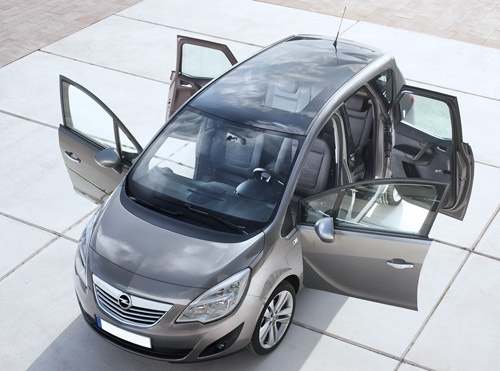
How to Remove the Front Window Regulator in an Opel Meriva
Model: Vauxhall Meriva
Meriva B, MK 2
- Years:
2010, 2011, 2012, 2013, 2014, 2015, 2016, 2017
Video tutorial
In this tutorial, we will see how to remove the front window regulator in an Opel Meriva, a very simple task. Before proceeding, you must have removed the door panel. Once done, remove the insulating sheet carefully to avoid damage, then unscrew the two indicated screws using a Torx key. Next, support the glass with adhesive tape, unscrew the fixing bolts of the mechanism with a 10mm socket, and disconnect the power connector. At this point, you can extract the mechanism from the lower slot, position the replacement, and follow the reverse procedure.
Updated on 26 August 2026 by ScegliAuto
Related tutorials
Vauxhall Meriva
(2003-2010 /
Meriva A, MK 1)
Let's briefly go over the instructions to remove and replace the front headlight and bumper on the Opel Meriva. First, open the bonnet and start by r…

Vauxhall Meriva
(2003-2010 /
Meriva A, MK 1)
If the side window of your Opel Meriva is not working, you need to remove the wire sheath that enters the frame (the lower one) and, by pulling the w…

Vauxhall Meriva
(2003-2010 /
Meriva A, MK 1)
These brief and simple steps will show you how to remove the front door panel on an Opel Meriva. First, open the front door of the vehicle and start …
Other guides you may be interested in |
How to Activate the Automatic Folding and Unfolding of the Wing Mirrors on the Jeep Compass
Follow these brief instructions to activate the automatic folding and unfolding of the external wing mirrors on the Jeep Compass. First, get inside the vehicle and turn on the ignition; then press the button located beneath the mirror glass adjustment to electrically open the mirror, as shown in the video. Pressing the button in the opposite direction will close the mirrors; by holding the button, the mirrors will open and close automatically! by ScegliAuto More videos
|
|
For advertising on this site Write to info@scegliauto.com
ScegliAuto is not responsible for any inaccuracy of the data in the lists. To report any inaccuracy or your business (if you own the business in question), please write to info@scegliauto.com
Number of seconds to generate the page: 0.072
(c) ScegliAuto 2026 - info@scegliauto.com - Privacy policy VAT number: IT01247470535 |
