
|
Do it yourself
| |||
| ||||


How to reset the service light on the Opel Vivaro
Model: Vauxhall Vivaro
MK 1
- Years:
2001, 2002, 2003, 2004, 2005, 2006, 2007, 2008, 2009, 2010, 2011, 2012
Video tutorial
If you own an Opel Vivaro and want to manually reset the service light, simply read this guide and follow the described procedure. The entire operation takes only a few seconds to complete. First, reach the driver's seat, then start the ignition while simultaneously pressing the accelerator pedal and pressing the brake pedal three times in quick succession. After that, wait about ten seconds and release the accelerator pedal as soon as the reset of the light is confirmed.
Updated on 30 August 2026 by ScegliAuto
Related tutorials
Vauxhall Vivaro
(2019-2026 /
MK 3, Vivaro C)
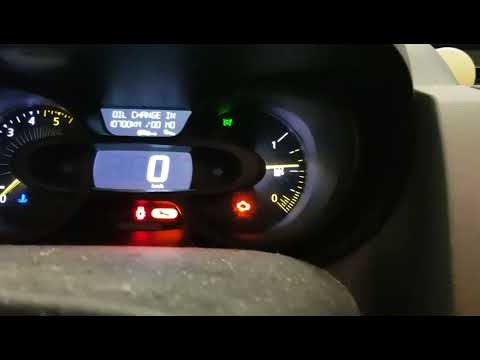
In a few steps, we will see the procedure that will allow us to reset the service maintenance light for the oil change on the Opel Vivaro. First, we …
Vauxhall Vivaro
(2019-2026 /
MK 3, Vivaro C)
.. Today, you will learn how to reset the service light on the Opel Vivaro independently and for free, without using a diagnostic.. …

Vauxhall Vivaro
(2019-2026 /
MK 3, Vivaro C)
In this video, we can see how to reset the service light on an Opel Vivaro version C: with the vehicle turned off, press and hold the reset button lo…
Other guides you may be interested in
|
How to lower the rear seats in the Peugeot 206?
In this tutorial, you will see how to lower the rear seats in the Peugeot 206, a very simple and quick operation, for example, if you need more space in the boot. First, open both the doors and the tailgate, then unclip the seat base and position it vertically. Next, remove the horizontal partition, locate the release levers at the ends of both seatbacks, and, by operating them, lower the seatbacks. To reassemble everything, simply follow the reverse procedure. by ScegliAuto More videos
|
|
For advertising on this site Write to info@scegliauto.com
ScegliAuto is not responsible for any inaccuracy of the data in the lists. To report any inaccuracy or your business (if you own the business in question), please write to info@scegliauto.com
Number of seconds to generate the page: 0.018
(c) ScegliAuto 2026 - info@scegliauto.com - Privacy policy VAT number: IT01247470535 |
