
|
Do it yourself
| |||
| ||||


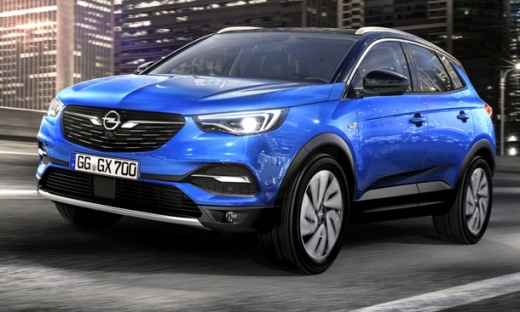
How to Program the Key of the Opel Grandland X After Replacing the Car Battery?
Model: Vauxhall Grandland X
MK 1
- Years:
2017, 2018, 2019, 2020, 2021, 2022, 2023, 2024
Video tutorial
This video tutorial, complete with verbal commentary, explains how to program the key of an Opel vehicle, in this case an Opel Crossland, but the procedure is identical for the Opel Grandland X. After connecting the diagnostic tool to the vehicle via the OBD port, read the car's secret code and insert the key to be programmed into the instrument cluster. Wait a few seconds and the new key will be equipped with the code, which, if correct, will allow the central locking to open, the engine to start, and so on.
Updated on 19 September 2026 by ScegliAuto
Related tutorials
Vauxhall Grandland X
(2017-2024 /
MK 1)
Start by pressing and holding the button located on the back of the key for your Opel Grandland X. Next, extract the physical emergency key. Once don…

Vauxhall Grandland X
(2017-2024 /
MK 1)
You can program the key for an Opel Grandland X by inserting the new device into the ignition switch: then you can connect a diagnostic tool to the O…

Vauxhall Grandland X
(2017-2024 /
MK 1)
Programming the key fob for the 2020 Opel Grandland X is a simple task that can be done independently. The key reprogramming may be required by the v…
Other guides you may be interested in
|
Frequently Asked QuestionsHow to Set the Time in an Audi A4?
In this tutorial, you will see how to set the time in an Audi A4, a very simple and quick operation to perform after replacing the battery or when the time changes. First, insert the key and turn on the instrument cluster. Then, press the "SETUP" button located on the center console. Next, press the upper left arrow button, navigate to the "Time" option, and use the central knob to adjust the clock. Finally, set any necessary formats and save by returning to the main screen. by ScegliAuto More videos
|
|
For advertising on this site Write to info@scegliauto.com
ScegliAuto is not responsible for any inaccuracy of the data in the lists. To report any inaccuracy or your business (if you own the business in question), please write to info@scegliauto.com
Number of seconds to generate the page: 0.131
(c) ScegliAuto 2026 - info@scegliauto.com - Privacy policy VAT number: IT01247470535 |
