
|
Do it yourself
| |||
| ||||


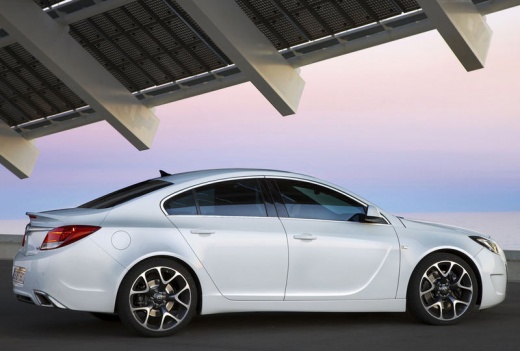
How to Replace the Bulb on the Opel Insignia
Model: Vauxhall Insigna
MK 1, Insigna A
- Years:
2008, 2009, 2010, 2011, 2012, 2013, 2014, 2015, 2016, 2017
Video tutorial
Open and lift the bonnet. Remove the funnel that carries the windscreen washer fluid by simply pulling it upwards. Now you need to remove the cap located at the back of the headlamp, which will give you access to the back of the bulb. Use hex keys to unscrew the bolts securing it. This will allow you to remove the bulb and disconnect it from its housing, and you can also make replacements on the other side if necessary, but you won’t need to remove the funnel for the windscreen washer reservoir.
Updated on 23 February 2026 by ScegliAuto
Related tutorials
Vauxhall Insigna
(2017-2026 /
MK 2, Insigna B)
In this guide, you will find instructions to remove and replace the side indicator bulb on an Opel Insignia. First, move to the side of the vehicle a…
Vauxhall Insigna
(2008-2017 /
MK 1, Insigna A)
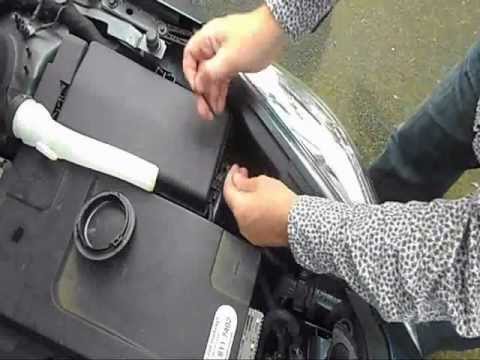
Before starting, open the bonnet of your Opel Insignia. Begin by disconnecting and removing the windscreen washer filler tube to access the rear cove…
Vauxhall Insigna
(2008-2017 /
MK 1, Insigna A)
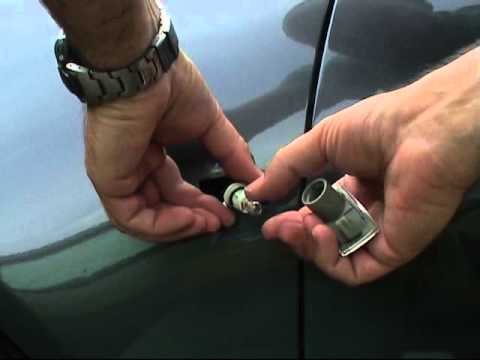
The steps in this guide will show you how to remove and replace the side indicator bulb on an Opel Insignia. First, move to the side of the vehicle a…
Other guides you may be interested in
|
How to Remove the Toll Tag Holder from the Car Windscreen
The toll tag holder is usually attached to the car windscreen to ensure that the toll tag functions immediately when passing through barriers. However, if you decide to remove the holder, you should follow this procedure: - Insert the toll tag into the holder; - Pull the holder inwards to detach it from the windscreen; you can use a glass scraper or a stiff plastic card to assist you; After removing the holder, it is essential to remove the adhesive from the windscreen. To remove the adhesive, we recommend using a solvent-based spray that will remove the glue without clouding the area. by ScegliAuto More videos
|
|
For advertising on this site Write to info@scegliauto.com
ScegliAuto is not responsible for any inaccuracy of the data in the lists. To report any inaccuracy or your business (if you own the business in question), please write to info@scegliauto.com
Number of seconds to generate the page: 0.100
(c) ScegliAuto 2026 - info@scegliauto.com - Privacy policy VAT number: IT01247470535 |
