
|
Do it yourself
| |||
| ||||


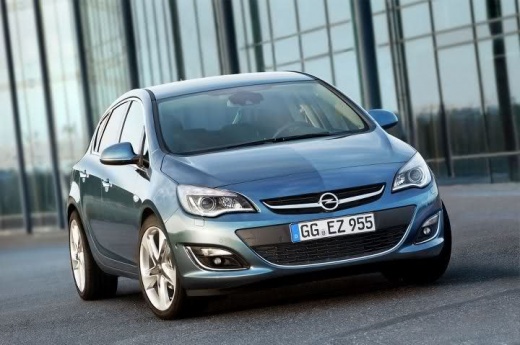
Resetting Code 60 Alarm on Opel Astra J
Model: Vauxhall Astra
Astra J
- Years:
2009, 2010, 2011, 2012, 2013, 2014, 2015, 2016
Video tutorial
In this video, you will see how, after replacing the flat battery of the Opel Astra with a new one, a warning message "code 60" may appear on the central display. This message indicates an incorrect window position caused by a voltage spike. To reset it, fully lower the driver's window using the appropriate button and then close it completely. Move to the front passenger seat and repeat the same procedure. Once the message disappears from the display, the operation will be confirmed as successful.
Updated on 27 September 2026 by ScegliAuto
Related tutorials
Vauxhall Astra
(2009-2016 /
Astra J)
Error code 82 indicates that the oil change interval level has been reached. This error code activates on all Opel vehicles. Today, we will specifica…
Vauxhall Astra
(2015-2022 /
Astra K)
The "error code 35" on Opel vehicles, particularly the Opel Astra, Meriva, and Insignia, corresponds to the airbag maintenance and control system. Wh…

Vauxhall Astra
(1998-2006 /
Astra G)
In this brief guide, we will see the instructions that will allow us to enter the radio code for the Opel Astra, thus unlocking all radio stations. F…
Other guides you may be interested in
|
Frequently Asked QuestionsHow to Remove the Toll Tag Holder from the Car Windscreen
The toll tag holder is usually attached to the car windscreen to ensure that the toll tag functions immediately when passing through barriers. However, if you decide to remove the holder, you should follow this procedure: - Insert the toll tag into the holder; - Pull the holder inwards to detach it from the windscreen; you can use a glass scraper or a stiff plastic card to assist you; After removing the holder, it is essential to remove the adhesive from the windscreen. To remove the adhesive, we recommend using a solvent-based spray that will remove the glue without clouding the area. by ScegliAuto More videos
|
|
For advertising on this site Write to info@scegliauto.com
ScegliAuto is not responsible for any inaccuracy of the data in the lists. To report any inaccuracy or your business (if you own the business in question), please write to info@scegliauto.com
Number of seconds to generate the page: 0.046
(c) ScegliAuto 2026 - info@scegliauto.com - Privacy policy VAT number: IT01247470535 |
