
|
Do it yourself
| |||
| ||||


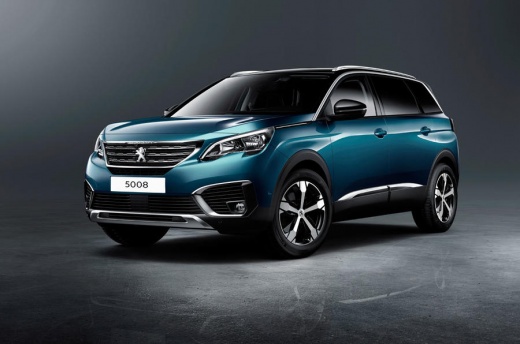
How to Change the Colour on the Digital Display of the Peugeot 5008
Model: Peugeot 5008
MK 2
- Years:
2017, 2018, 2019, 2020, 2021, 2022, 2023, 2024
Video tutorial
In this video, learn how to change the colours on the digital display of the Peugeot 5008. Go to the multifunction screen (you can also do this from the keypad below). Select "Settings" and choose a profile to assign the chosen colour. Next, go to "Colour Scheme", select your colour, confirm, and the screen will load the selected combination. You can choose the "Relax" mode for softer colours or the normal mode. You can also activate the "Sport" mode with red numbers and details for a more aggressive look. There are various combinations to personalise your driving experience.
Updated on 27 October 2026 by ScegliAuto
Related tutorials
Peugeot 5008
(2017-2024 /
MK 2)
If you want to independently adjust the brightness of the touchscreen display of the infotainment system in your second-generation Peugeot 5008, just…

Peugeot 5008
(2009-2016 /
MK 1)
You need to reset the service light on the Peugeot 5008 but don't know where the diagnostic port is? Locating it is simpler than expected as the diag…

Peugeot 5008
(2017-2024 /
MK 2)
In the Peugeot 5008, activating Apple CarPlay is done through the infotainment system by connecting an iPhone via USB. With the Peugeot 5008 stationa…
Other guides you may be interested in |
How to open the bonnet on a Volkswagen Golf?
In this tutorial, you will see how to open the bonnet on a Volkswagen Golf MK4. This is a very simple operation that follows the standard procedure. First, open the driver's door, then locate the lever in the lower left area and pull it. Next, move to the front of the vehicle, lift the bonnet slightly, and find the second lever located just above the Volkswagen logo. At this point, simply pull it towards you, fully open the bonnet, and secure it with the prop rod. To close it, gently push it down. by ScegliAuto More videos
|
|
For advertising on this site Write to info@scegliauto.com
ScegliAuto is not responsible for any inaccuracy of the data in the lists. To report any inaccuracy or your business (if you own the business in question), please write to info@scegliauto.com
Number of seconds to generate the page: 0.084
(c) ScegliAuto 2026 - info@scegliauto.com - Privacy policy VAT number: IT01247470535 |
