
|
Do it yourself
| |||
| ||||


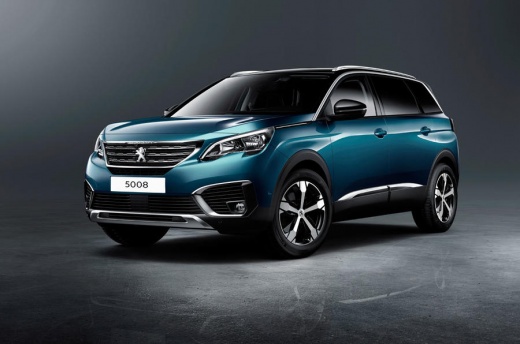
How to Install CarPlay in the Peugeot 5008
Model: Peugeot 5008
MK 2
- Years:
2017, 2018, 2019, 2020, 2021, 2022, 2023, 2024
Video tutorial
In the Peugeot 5008, activating Apple CarPlay is done through the infotainment system by connecting an iPhone via USB. With the Peugeot 5008 stationary and the ignition on, ensure Siri and Mobile Data are enabled on your iPhone; use a reliable USB data cable to connect the iPhone to the USB port in the centre console of the Peugeot 5008. On the touchscreen of the Peugeot 5008, go to Settings, then Connectivity/Smartphone Projection, and enable Apple CarPlay for the connected device. When prompted, allow CarPlay access on your iPhone with the Peugeot 5008. Wait for the interface to launch: from this point, you can use Maps, Music, Phone calls, and compatible apps with the vehicle's controls. If the Peugeot 5008 does not display the prompt, try a different USB cable, use another available port, or check that Restrictions/Screen Time on iOS are not blocking CarPlay. On some Peugeot 5008 models, you may need to manually select the CarPlay icon from the Projection screen; if multiple iPhones are paired, choose the correct device from the Devices list and authorise it. To disable, disconnect the cable or disable CarPlay in the settings of the Peugeot 5008 or your iPhone.
Posted on 25 June 2026 by ScegliAuto
Related tutorials
Peugeot 5008
(2009-2016 /
MK 1)
To remove the door panel of the Peugeot 5008, you need to loosen the bolts that secure the panel in its housing: these are located just below the arm…

Peugeot 5008
(2009-2016 /
MK 1)
In this tutorial, you will learn how to remove and replace the front headlamp bulb on a Peugeot 5008 in simple and quick steps. First, open the bonne…

Peugeot 5008
(2009-2016 /
MK 1)
If you want to access the data from the ECU of your first-generation Peugeot 5008, you need to know where the OBD2 port is located to connect a diagn…
Other guides you may be interested in |
Frequently Asked QuestionsHow to reset the tyre pressure warning light on the Kia Niro EV?
To reset the tyre pressure warning light on the Kia Niro EV, inflate the tyres until they reach the correct pressure value. This value is indicated on the sticker attached to the driver's door pillar. Once the tyres are inflated, turn on the instrument cluster to check that the warning light has completely disappeared from the display. If it is still present, you may need to drive for a few miles to ensure it disappears completely from the screen. by ScegliAuto More videos
|
|
For advertising on this site Write to info@scegliauto.com
ScegliAuto is not responsible for any inaccuracy of the data in the lists. To report any inaccuracy or your business (if you own the business in question), please write to info@scegliauto.com
Number of seconds to generate the page: 0.054
(c) ScegliAuto 2026 - info@scegliauto.com - Privacy policy VAT number: IT01247470535 |
