
|
Do it yourself
| |||
| ||||


How to replace the radio in the Peugeot 308
Model: Peugeot 308
T9, MK 2
- Years 2013-2021
Today we will explain how to replace the car radio on a Peugeot 308. To perform the radio replacement, we climb aboard the vehicle and using a flat tip screwdriver, we remove the central radio dashboard and then remove the screws that hold it in place; we remove the radio and disconnect the connector and antenna wire. We connect the connector and antenna wire to the new radio. We insert the radio into its housing and mount the radio cover, previously removed. We turn on the new car radio and if necessary we enter the unlock pin that is located on a label attached to the radio or in the instruction manual.
Posted on 2 November 2024 by ScegliAuto
Video tutorial
Related tutorials
Peugeot 308
(2013-2021 /
T9, MK 2)
In this video, we see how to enable and disable the radio text on a Peugeot 308. This function allows us to see the name of the radio station and the…

Peugeot 308
(2013-2021 /
T9, MK 2)
Let’s see how to manage the presets on the radio of your Peugeot 308 II: press the "media" button on the multimedia screen, tap the "radio" tab, and …
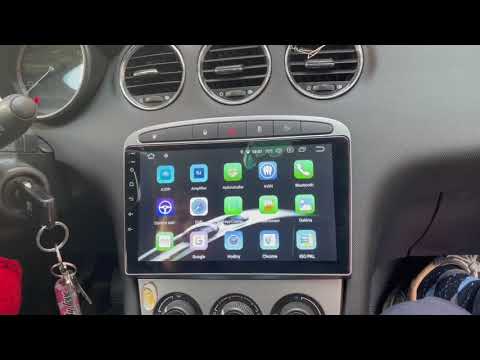
Peugeot 308
(2007-2014 /
T7, MK 1)
To replace the radio in a Peugeot 308, use a tool to lever off the trim surrounding the radio in the centre of the dashboard. Once the trim is remove…
Other guides you may be interested in
|
Fuses Location and Diagram for the Volkswagen Crafter
In this guide, we will look at the location of the fuse boxes and how to find their diagram for the Volkswagen Crafter. First, get inside the vehicle and start by removing the plastic cover found under the steering wheel, to access the internal fuse box; you will find another fuse box in the engine compartment by removing the plastic cover located next to the battery. At this point, use the owner's manual to find the fuse diagram, which will allow you to identify and replace any blown fuses with new ones! by ScegliAuto More videos
|

|
For advertising on this site Write to info@scegliauto.com
ScegliAuto is not responsible for any inaccuracy of the data in the lists. To report any inaccuracy or your business (if you own the business in question), please write to info@scegliauto.com
Number of seconds to generate the page: 0.099
(c) ScegliAuto 2026 - info@scegliauto.com - Privacy policy VAT number: IT01247470535 |
