
|
Do it yourself
| |||
| ||||


How to reset the service light on the Peugeot 208
Model: Peugeot 208
A9, MK 1
- Years 2012-2019
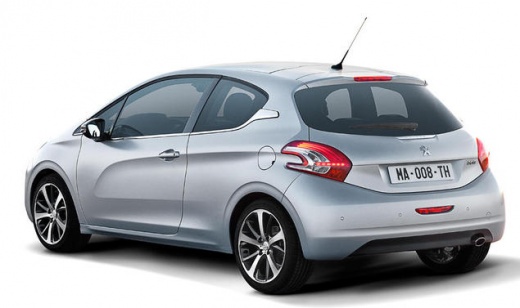
If you want to manually reset the service light that continues to stay on in the instrument panel of your Peugeot 208 first edition, you must follow the steps described below. First, enter the passenger compartment and reach the driver's seat, then make sure the car is turned off and locate the button with a small English key depicted on it. After finding the button in question, hold it down and simultaneously turn on the instrument panel. Finally, wait for the ten-second countdown and release the button.
Posted on 23 November 2024 by ScegliAuto
Video tutorial
Related tutorials
Peugeot 208
(2019-2026 /
UB, UJ, UP, MK 2, UW)
In this article we will see how to reset the service light of the Peugeot 208 2nd series, in case it remains on after having carried out the service.…

Peugeot 208
(2019-2026 /
UB, UJ, UP, MK 2, UW)
This article explains how to reset the service light of the 2020 Peugeot 208 if the reset is not performed at the workshop. To reset the service ligh…

Peugeot 208
(2019-2026 /
UB, UJ, UP, MK 2, UW)
This article explains how to reset the service light on a Peugeot 208. To reset the light, press and hold the button located on the side of the winds…
Other guides you may be interested in
|
How to reset the tyre pressure warning light on the Dacia Sandero?
To reset the tyre pressure warning light on the Dacia Sandero, inflate all the tyres to the pressure indicated on the label on the driver's door. Once the tyres are inflated, turn on the ignition and navigate through the menu using the controls on the right side of the steering wheel. Scroll with the arrows to find the tyre pressure option: by holding down the OK button located on the right side of the steering wheel, you can reset the warning light. by ScegliAuto More videos
|
|
For advertising on this site Write to info@scegliauto.com
ScegliAuto is not responsible for any inaccuracy of the data in the lists. To report any inaccuracy or your business (if you own the business in question), please write to info@scegliauto.com
Number of seconds to generate the page: 0.176
(c) ScegliAuto 2026 - info@scegliauto.com - Privacy policy VAT number: IT01247470535 |
