
|
Do it yourself
| |||
| ||||


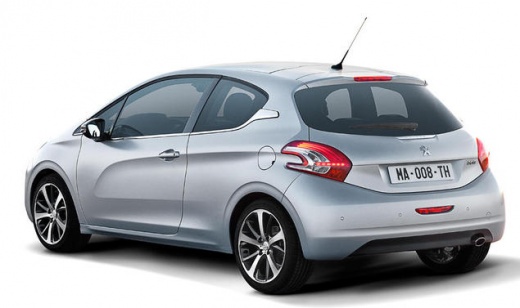
How to reset the tire pressure warning light on the Peugeot 208
Model: Peugeot 208
MK 1, A9
- Years:
2012, 2013, 2014, 2015, 2016, 2017, 2018, 2019
Video tutorial
Today we will see how to reset the tire pressure monitoring system (TPMS) light on the Peugeot 208; before performing the reset, it is necessary that all four tires are at the correct pressure. Then we get into the car and start the instrument panel; then we press the vehicle parameters and press the tire pressure sensor calibration button, as shown in the video. At this point we confirm the choice to reset the TPMS, thus zeroing the warning on the instrument panel!
Posted on 18 March 2025 by ScegliAuto
Related tutorials
Peugeot 208
(2012-2019 /
MK 1, A9)
In this article, we will show you how to reset the tire pressure warning light of the Peugeot 208, a procedure that is useful after adjusting the tir…

Peugeot 208
(2019-2026 /
UB, UJ, MK 2, UW, UP)
Today we will discover the instructions that will allow us to reset the tire pressure warning light of the Peugeot 208, as well as the 2008; before p…

Peugeot 208
(2012-2019 /
MK 1, A9)
To make the tire pressure warning light disappear from the instrument panel of the Peugeot 208, you first need to inflate the tires until they reach …
Other guides you may be interested in
|
How to reset the Service light of the Fiat 500X?
To reset the Service light of the Fiat 500X, insert the ignition key into the ignition switch to turn on the instrument cluster. Once powered on, press the accelerator pedal three times in quick succession. After this operation, wait a few seconds for the Service light reset to complete. Once the reset procedure is finished, release the pedals and then turn off the instrument cluster by turning the key. by ScegliAuto More videos
|
|
For advertising on this site Write to info@scegliauto.com
ScegliAuto is not responsible for any inaccuracy of the data in the lists. To report any inaccuracy or your business (if you own the business in question), please write to info@scegliauto.com
Number of seconds to generate the page: 0.058
(c) ScegliAuto 2026 - info@scegliauto.com - Privacy policy VAT number: IT01247470535 |
