
|
Do it yourself
| |||
| ||||


How to Change the Colour Scheme of the Screen in the Peugeot 308 II
Model: Peugeot 308
T9, MK 2
- Years 2013-2021
To change the colour scheme of the screen in the Peugeot 308 II, simply follow a series of easy steps: access the settings menu from the multimedia screen, and from there select the "display appearance" option which presents at least two options: "reflex" or "square"; confirm your choice by touching the preferred scheme on the screen. The system will apply the change without needing confirmation. Wait for the change, which may take a moment to be applied. It’s a simple and immediate way to personalise the driving environment and make the interior even more yours.
Posted on 26 May 2026 by ScegliAuto
Video tutorial
Related tutorials
Peugeot 308
(2013-2021 /
T9, MK 2)
To adjust the clock on the Peugeot 308, turn on the instrument panel by inserting the key into the ignition. Once the panel is on, navigate through t…

Peugeot 308
(2013-2021 /
T9, MK 2)
To replace the car radio of the Peugeot 308, you will need to lever with an object in order to detach the nozzles located on the sides of the central…
Peugeot 308
(2007-2014 /
T7, MK 1)
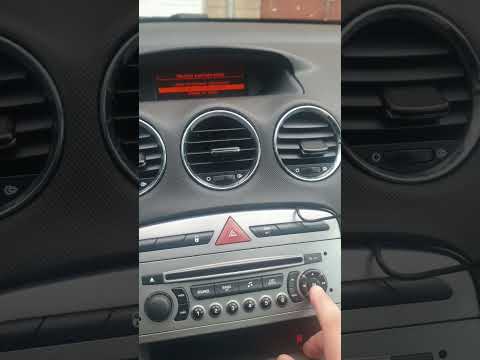
If the central display of your Peugeot 308 first series (2007-2014) shows an incorrect time and you want to change it manually, follow this guide car…
Other guides you may be interested in |
How to Replace the Cabin Filter on the Opel Grandland X
If you own an Opel Grandland X and want to know the steps to replace the cabin air filter, carefully read the following guide and follow the described steps. First, enter the vehicle and go to the passenger side. Then, locate the box containing the air filter in the lower side area of the dashboard. Remove the cover of the box and finally replace the old filter with the new one. Refit the cover, and you are done. by ScegliAuto More videos
|

|
For advertising on this site Write to info@scegliauto.com
ScegliAuto is not responsible for any inaccuracy of the data in the lists. To report any inaccuracy or your business (if you own the business in question), please write to info@scegliauto.com
Number of seconds to generate the page: 0.055
(c) ScegliAuto 2026 - info@scegliauto.com - Privacy policy VAT number: IT01247470535 |
