
|
Do it yourself
| |||
| ||||


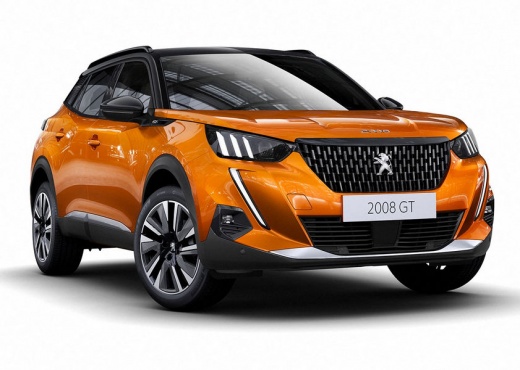
How to Adjust the Air Conditioning Settings on the Peugeot 2008
Model: Peugeot 2008
- Years:
2019, 2020, 2021, 2022, 2023, 2024, 2025, 2026
Video tutorial
On the Peugeot 2008, the air conditioning is controlled via the touch screen (there are no physical knobs). To turn the entire system on or off, there is a dedicated button on the screen or a physical button that shows "OFF" when the ventilation is at a minimum. To adjust the temperature, use the + and - buttons or swipe vertically on the display; independent values can be set for the driver and passenger, but it is recommended not to exceed a difference of 3°C between the two sides. For fan speed, use the buttons with the fan icon or swipe horizontally; pressing the minimum stops the ventilation and shows "OFF". For air distribution, press the dedicated symbols (windscreen, central vents, feet), and they can also be activated simultaneously. The AUTO button automatically manages temperature, flow, and distribution; if you manually adjust a function, the AUTO light will turn off, and the system will maintain automatic control only over the others. The recirculation isolates the cabin from external odours and activates automatically in reverse. There is also a maximum demisting function for the windscreen, which automatically activates the air conditioning and manages the flow.
Posted on 18 November 2026 by ScegliAuto
Related tutorials
Peugeot 2008
(2013-2019 /
MK 1)
Today we will explain how to adjust the front and rear headlights of the Peugeot 2008 model 2 on your own. This operation allows us to have greater i…

Peugeot 2008
(2019-2026 /
MK 2)
In this short guide, we will see the instructions that will allow us to adjust the clock on the central display of the Peugeot 2008, but also of the …

Peugeot 2008
(2019-2026 /
MK 2)
In a few simple steps, we will see how to set the time on the instrumentation of the Peugeot 2008, but also on the 208. First, we get into the car an…
ScegliAuto offers an extensive international collection of automotive tutorials available in 12 languages. Each guide combines instructional videos with original explanations written by experienced human editors, along with information about the car models covered.
Other guides you may be interested in
|
How to find and enter the unlock code for the radio in the Dacia Dokker?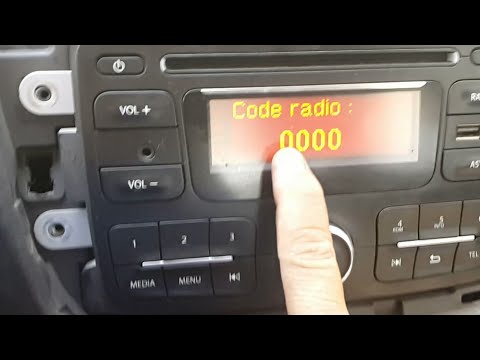
In this tutorial, you will learn how to find and enter the unlock code for the radio in the Dacia Dokker, a very simple operation necessary after replacing the battery. The code is usually found with the various documents provided at purchase, but if lost, it can be retrieved through various online services. These services require the serial number of the radio, which is located on the label on the top side of the unit. Once you have the unlock code, you can turn on the radio and enter it by repeatedly pressing the "1", "2", "3", and "4" buttons, and save the setting with the "6" button. by ScegliAuto More videos
|
|
For advertising on this site Write to info@scegliauto.com
ScegliAuto is not responsible for any inaccuracy of the data in the lists. To report any inaccuracy or your business (if you own the business in question), please write to info@scegliauto.com
Number of seconds to generate the page: 0.012
(c) ScegliAuto 2026 - info@scegliauto.com - Privacy policy - About us VAT number: IT01247470535 |
