Do it yourself
Frequently asked questions about cars and motorcycles
  1. Car
  2. :
  3. Peugeot
  4. :
  5. Peugeot 2008
  6. : A/C controls

Peugeot 2008 - A/C controls

A/C Controls Peugeot 2008 (2019-2026 / )

Peugeot 2008 (2019-2026 / )
How to Adjust the Air Conditioning Settings on the Peugeot 2008

On the Peugeot 2008, the air conditioning is controlled via the touch screen (there are no physical knobs). To turn the entire system on or off, there is a …Read all…
Posted on 18 November 2026 by ScegliAuto

Airbag (1) Car stereo (18) Battery (16) Ignition coil (1) Spark plugs (1) Glow plugs (1) Body (5) Control unit (1) Key (13) Timing belt (8) V-belt (1) A/C controls (1) Onboard computer (29) Checks and maintenance (44) Rear bench seat (3) Headlight (2) Tail light (5) Fog lights (1) Air filter (8) Cabin air filter (24) Diesel fuel filter (5) Oil filter (3) Parking brake (1) Light bulb (3) Headlight bulb (14) Tail light bulb (2) Interior dome light bulb (1) Instrument panel light (1) (3) Engine (1) Engine oil (5) Clock (19) Door trim panel (9) Front bumper (2) Rear bumper (1) Brake pads (4) Tires (1) Instrument cluster (12) Wheel (3) Fuse box (27) Side mirror (12) Rearview mirror (1) AdBlue warning light (10) Warning light – error code (16) (1) Tire pressure warning light (46) Service warning light (102) Windshield wipers (3) Tie rods (1) Turbocharger (1) Blower motor (1)

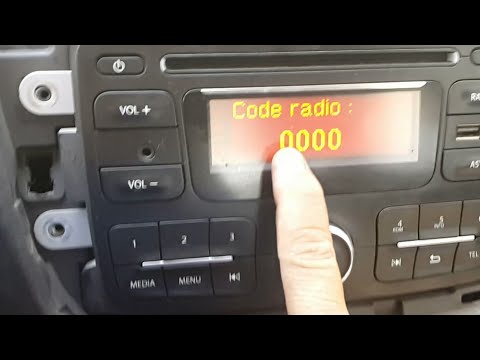
How to find and enter the unlock code for the radio in the Dacia Dokker?

In this tutorial, you will learn how to find and enter the unlock code for the radio in the Dacia Dokker, a very simple operation necessary after replacing the battery. The code is usually found with the various documents provided at purchase, but if lost, it can be retrieved through various online services. These services require the serial number of the radio, which is located on the label on the top side of the unit. Once you have the unlock code, you can turn on the radio and enter it by repeatedly pressing the "1", "2", "3", and "4" buttons, and save the setting with the "6" button.

Watch the video!


by ScegliAuto

More videos