
|
Do it yourself
| |||
| ||||


Peugeot 2008 - Instrument clusterInstrument Cluster Peugeot 2008 (2019-2026 / mk 2) Peugeot 2008 (2019-2026 / MK 2)
How does the Peugeot 2008's i-cockpit 3D work? The Peugeot 2008's I-cockpit 3D is an advanced digital instrumentation system that combines technology and design to enhance the driving experience. The …Read all… Posted on 2 September 2025 by ScegliAuto  Peugeot 2008 (2019-2026 / MK 2)
How to change the language on the cockpit of a Peugeot 2008 In this video we see how to change the language on the multimedia screen of a Peugeot car; in this case it is a 2008, but the same system applies to all recent …Read all… Posted on 9 November 2024 by ScegliAuto  Peugeot 2008 (2019-2026 / MK 2)
Recognizing the auditory warnings of the Peugeot 2008. In this video we see how to recognize the acoustic alerts of the Peugeot 2008: we hear the first alert that warns us that the car is running and the handbrake …Read all… Posted on 15 October 2024 by ScegliAuto 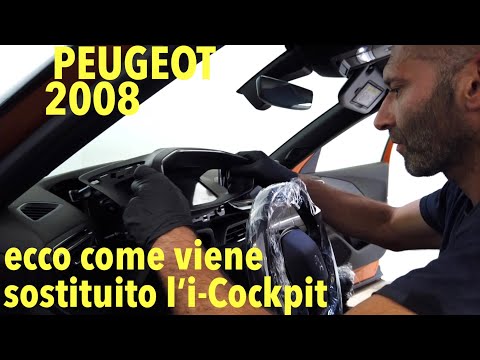 Peugeot 2008 (2019-2026 / MK 2)
How to Replace the I-Cockpit with Matt Glass on the Peugeot 2008 In this video, observe a warranty intervention on Peugeot 2008 models suffering from a defect: the glass has become completely opaque, making the …Read all… Posted on 20 September 2026 by ScegliAuto 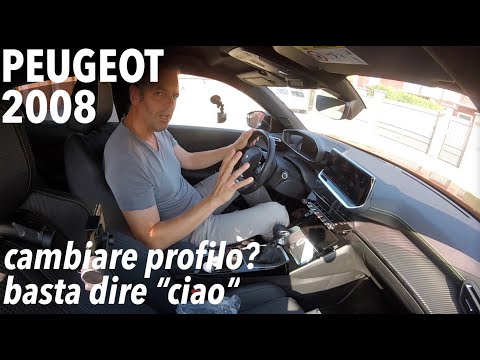 Peugeot 2008 (2019-2026 / MK 2)
How to Change Profile on the Peugeot 2008 Cockpit In this video, learn how to quickly change the profile on the Peugeot 2008 cockpit. Press the voice assistant button: say "hello" and the voice responds, …Read all… Posted on 18 September 2026 by ScegliAuto 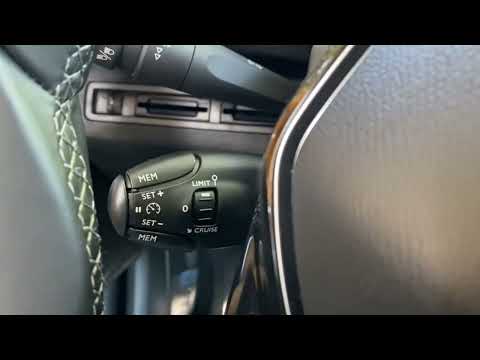 Peugeot 2008 (2019-2026 / MK 2)
How the Cruise Control and Speed Limiter Work on the Peugeot 2008 In this video, see how the speed limiter and cruise control work on the Peugeot 2008, as well as on the 3008 and 5008. Operate from the steering wheel, below …Read all… Posted on 29 August 2026 by ScegliAuto  Peugeot 2008 (2013-2019 / MK 1)
When the Peugeot 2008 Dashboard Indicates "Repair Needed" To understand this mysterious message, our friendly YouTuber did the most logical thing: he connected an OBDII reader to the EOBD socket and read the errors …Read all… Posted on 28 August 2026 by ScegliAuto  Peugeot 2008 (2019-2026 / MK 2)
How to Set the User Profile Photo on the Peugeot 2008 Display Let's see how to insert the user profile photo on the display of your Peugeot 2008. You will need a photo saved on a USB stick. Insert the USB stick into the …Read all… Posted on 23 August 2026 by ScegliAuto 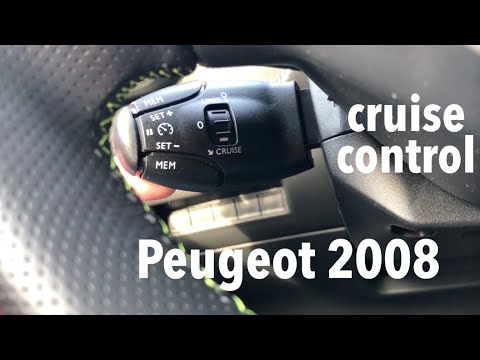 Peugeot 2008 (2019-2026 / MK 2)
How to Use Cruise Control on the Peugeot 2008 The cruise control command on the Peugeot 2008 is located behind the steering wheel. Turning the dial upwards activates the speed limiter, which means you set …Read all… Posted on 7 August 2026 by ScegliAuto  Peugeot 2008 (2019-2026 / MK 2)
Change Voice Commands on Peugeot 2008 and 3008 from 'Beginner Mode' to 'Expert Mode' Voice commands are very useful, but in vehicles like the Peugeot 2008, 3008, and 5008, they are often underused because they can be a bit tedious due to the …Read all… Posted on 16 July 2026 by ScegliAuto 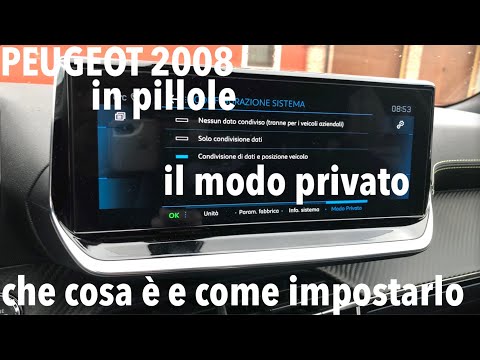 Peugeot 2008 (2019-2026 / MK 2)
How to Set Private Mode on the MyPeugeot App for the Peugeot 2008 Let's see how to set private mode on the MyPeugeot app: if you need to avoid leaving a trace of your journey on the MyPeugeot app, this is possible. Go to the …Read all… Posted on 6 September 2026 by ScegliAuto 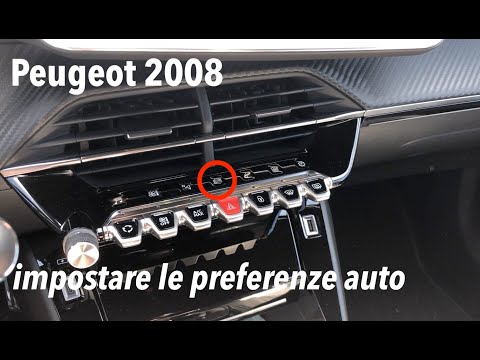 Peugeot 2008 (2019-2026 / MK 2)
How to Set the 'Auto' Preferences on a Peugeot 2008 Screen Set the preferences for the 'auto' button: here’s how to do it. Press the 'auto' touch button and see the various options: parking. You can lock the mirrors …Read all… Posted on 31 August 2026 by ScegliAuto Instrument Cluster Peugeot 2008 (2013-2019 / mk 1)
Peugeot 2008 (2019-2026 / MK 2)How does the Peugeot 2008's i-cockpit 3D work? The Peugeot 2008's I-cockpit 3D is an advanced digital instrumentation system that combines technology and design to enhance the driving experience. The …Read all… Posted on 2 September 2025 by ScegliAuto
Peugeot 2008 (2019-2026 / MK 2)How to change the language on the cockpit of a Peugeot 2008 In this video we see how to change the language on the multimedia screen of a Peugeot car; in this case it is a 2008, but the same system applies to all recent …Read all… Posted on 9 November 2024 by ScegliAuto
Peugeot 2008 (2019-2026 / MK 2)Recognizing the auditory warnings of the Peugeot 2008. In this video we see how to recognize the acoustic alerts of the Peugeot 2008: we hear the first alert that warns us that the car is running and the handbrake …Read all… Posted on 15 October 2024 by ScegliAuto
Peugeot 2008 (2019-2026 / MK 2)How to Replace the I-Cockpit with Matt Glass on the Peugeot 2008 In this video, observe a warranty intervention on Peugeot 2008 models suffering from a defect: the glass has become completely opaque, making the …Read all… Posted on 20 September 2026 by ScegliAuto
Peugeot 2008 (2019-2026 / MK 2)How to Change Profile on the Peugeot 2008 Cockpit In this video, learn how to quickly change the profile on the Peugeot 2008 cockpit. Press the voice assistant button: say "hello" and the voice responds, …Read all… Posted on 18 September 2026 by ScegliAuto
Peugeot 2008 (2019-2026 / MK 2)How the Cruise Control and Speed Limiter Work on the Peugeot 2008 In this video, see how the speed limiter and cruise control work on the Peugeot 2008, as well as on the 3008 and 5008. Operate from the steering wheel, below …Read all… Posted on 29 August 2026 by ScegliAuto
Peugeot 2008 (2013-2019 / MK 1)When the Peugeot 2008 Dashboard Indicates "Repair Needed" To understand this mysterious message, our friendly YouTuber did the most logical thing: he connected an OBDII reader to the EOBD socket and read the errors …Read all… Posted on 28 August 2026 by ScegliAuto
Peugeot 2008 (2019-2026 / MK 2)How to Set the User Profile Photo on the Peugeot 2008 Display Let's see how to insert the user profile photo on the display of your Peugeot 2008. You will need a photo saved on a USB stick. Insert the USB stick into the …Read all… Posted on 23 August 2026 by ScegliAuto
Peugeot 2008 (2019-2026 / MK 2)How to Use Cruise Control on the Peugeot 2008 The cruise control command on the Peugeot 2008 is located behind the steering wheel. Turning the dial upwards activates the speed limiter, which means you set …Read all… Posted on 7 August 2026 by ScegliAuto
Peugeot 2008 (2019-2026 / MK 2)Change Voice Commands on Peugeot 2008 and 3008 from 'Beginner Mode' to 'Expert Mode' Voice commands are very useful, but in vehicles like the Peugeot 2008, 3008, and 5008, they are often underused because they can be a bit tedious due to the …Read all… Posted on 16 July 2026 by ScegliAuto
Peugeot 2008 (2019-2026 / MK 2)How to Set Private Mode on the MyPeugeot App for the Peugeot 2008 Let's see how to set private mode on the MyPeugeot app: if you need to avoid leaving a trace of your journey on the MyPeugeot app, this is possible. Go to the …Read all… Posted on 6 September 2026 by ScegliAuto
Peugeot 2008 (2019-2026 / MK 2)How to Set the 'Auto' Preferences on a Peugeot 2008 Screen Set the preferences for the 'auto' button: here’s how to do it. Press the 'auto' touch button and see the various options: parking. You can lock the mirrors …Read all… Posted on 31 August 2026 by ScegliAuto Airbag (1) Car stereo (17) Battery (14) Ignition coil (1) Spark plugs (1) Glow plugs (1) Body (5) Control unit (1) Key (12) Timing belt (8) V-belt (1) Onboard computer (27) Checks and maintenance (42) Rear bench seat (3) Headlight (2) Tail light (5) Fog lights (1) Air filter (8) Cabin air filter (22) Diesel fuel filter (5) Oil filter (3) Parking brake (1) Light bulb (3) Headlight bulb (14) Tail light bulb (2) Interior dome light bulb (1) Instrument panel light (1) (3) Engine (1) Engine oil (5) Clock (19) Door trim panel (9) Front bumper (2) Rear bumper (1) Brake pads (3) Tires (1) Instrument cluster (12) Wheel (3) Fuse box (26) Side mirror (11) Rearview mirror (1) AdBlue warning light (10) Warning light – error code (16) (37) Tire pressure warning light (8) Service warning light (98) Windshield wipers (3) Tie rods (1) Turbocharger (1) Blower motor (1) |
How to Connect the Cables to the Battery of the Citroen Xsara Picasso?
In this tutorial, you will see how to connect the cables to the battery of the Citroen Xsara Picasso, useful if you need to recharge it or perform an emergency start. First, ensure the key is not inserted, then open the bonnet and move to the front of the left headlamp. Next, locate the bolt just behind the filter box and connect the positive terminal clamp to it. Now you can connect the negative terminal to any point on the chassis, such as the indicated point. Once the operation is complete, ensure you disconnect the negative first and then the positive. by ScegliAuto More videos
|
|
For advertising on this site Write to info@scegliauto.com
ScegliAuto is not responsible for any inaccuracy of the data in the lists. To report any inaccuracy or your business (if you own the business in question), please write to info@scegliauto.com
Number of seconds to generate the page: 0.016
(c) ScegliAuto 2026 - info@scegliauto.com - Privacy policy VAT number: IT01247470535 |
