
|
Do it yourself
| |||
| ||||


How to Set Private Mode on the MyPeugeot App for the Peugeot 2008
Model: Peugeot 2008
MK 2
- Years 2019-2026
Let's see how to set private mode on the MyPeugeot app: if you need to avoid leaving a trace of your journey on the MyPeugeot app, this is possible. Go to the notifications icon at the top right of the screen and select "private mode". By default, it is set to "sharing vehicle data and location", meaning the car sends all data to the app on your phone. If you select "data sharing only", the app will only receive distance data, not locations. If you don't want to send any data at all, select "no data shared". Each time you change the setting, press "ok" to confirm. Check the app. If you go to the driving section, you will see the last journeys made, showing only the start and end times along with the distance travelled and consumption. If you had disabled that as well, there would be no record of that journey, as if the vehicle had not moved. This mode can also be activated by pressing both buttons (red + lion) on the ceiling light simultaneously. Then confirm by pressing the "lion" button again. Use the same procedure to disable it again. Naturally, this means that the total mileage on the app will not update. It will realign when you start transmitting data again.
Updated on 24 June 2026 by ScegliAuto
Video tutorial
Related tutorials
Peugeot 2008
(2019-2026 /
MK 2)
In this video we can see how to set the navigation system of the Peugeot 2008 from the MyPeugeot app, directly from our smartphone: we open our app, …
Peugeot 2008
(2019-2026 /
MK 2)
Voice commands are very useful, but in vehicles like the Peugeot 2008, 3008, and 5008, they are often underused because they can be a bit tedious due…

Peugeot 2008
(2019-2026 /
MK 2)
Let's see how to solve the infotainment issues for the Peugeot 2008: first of all, it is always advisable to try a quick reset; turn off the car and …
Other guides you may be interested in
|
How to Remove the Front Bumper of the Citroën C4 Picasso?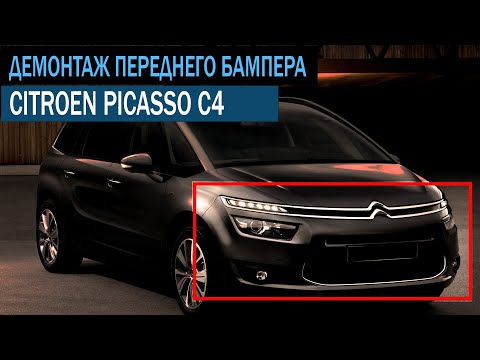
To remove the front bumper of the Citroën C4 Picasso, you need to take out all the rivets and screws that secure the piece to its housing: these screws are located inside the wheel arches of the front wheels and at the central upper part of the bumper itself. Once all these fastening elements have been removed, you can detach the bumper from its seat by disconnecting the connectors inside and then insert the new replacement part. The new part can then be secured and connected properly, ensuring it is correctly fixed in place. by ScegliAuto More videos
|

|
For advertising on this site Write to info@scegliauto.com
ScegliAuto is not responsible for any inaccuracy of the data in the lists. To report any inaccuracy or your business (if you own the business in question), please write to info@scegliauto.com
Number of seconds to generate the page: 0.243
(c) ScegliAuto 2026 - info@scegliauto.com - Privacy policy VAT number: IT01247470535 |
