
|
Do it yourself
| |||
| ||||


How to solve the infotainment problem of the Peugeot 2008 that is not working.
Model: Peugeot 2008
MK 2
- Years 2019-2026
Let's see how to solve the infotainment issues for the Peugeot 2008: first of all, it is always advisable to try a quick reset; turn off the car and wait 15 seconds, then restart. Alternatively, you can reset using the physical button by pressing the power/volume button until it restarts (10-15 seconds). If these simple systems do not work, then we need to perform a hard reset, which will result in the loss of personal settings: go to "settings" and look for "factory settings." Confirming this will erase Bluetooth pairings, radio preferences, and profile configuration. If we don't hear any sound, we should check: the overall volume; if "mute" is activated; the audio source; the balance (which might be shifted to a broken speaker); the Bluetooth settings. Many bugs can be resolved with firmware updates by going to: settings/software updates; or through the "myPeugeot" app; and of course at the dealership. Using an OBD2 scanner, we might find an error like UO100, which requires a professional reset. Naturally, we cannot rule out hardware issues either.
Posted on 27 December 2025 by ScegliAuto
Video tutorial
Related tutorials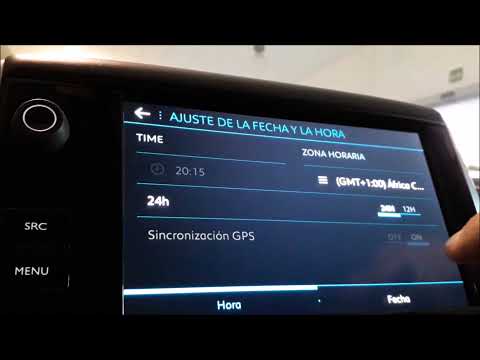
Peugeot 2008
(2013-2019 /
MK 1)
For various reasons, the time displayed on the central display of the Peugeot 2008 may not be updated. This video with verbal commentary will help so…

Peugeot 2008
(2013-2019 /
MK 1)
In order to reset the engine light of the Peugeot 2008, you need to connect a diagnostic tool to the OBD port of the vehicle: this port can be found …

Peugeot 2008
(2013-2019 /
MK 1)
In this video, we are first shown the problem: the window lifter of the Peugeot 2008 has lost the memorization of the upper and lower stops. In this …
Other guides you may be interested in
|
Frequently Asked QuestionsFuses Location and Diagram for the Volkswagen Crafter
In this guide, we will look at the location of the fuse boxes and how to find their diagram for the Volkswagen Crafter. First, get inside the vehicle and start by removing the plastic cover found under the steering wheel, to access the internal fuse box; you will find another fuse box in the engine compartment by removing the plastic cover located next to the battery. At this point, use the owner's manual to find the fuse diagram, which will allow you to identify and replace any blown fuses with new ones! by ScegliAuto More videos
|

|
For advertising on this site Write to info@scegliauto.com
ScegliAuto is not responsible for any inaccuracy of the data in the lists. To report any inaccuracy or your business (if you own the business in question), please write to info@scegliauto.com
Number of seconds to generate the page: 0.123
(c) ScegliAuto 2026 - info@scegliauto.com - Privacy policy VAT number: IT01247470535 |
