
|
Do it yourself
| |||
| ||||


How to Set the 'Auto' Preferences on a Peugeot 2008 Screen
Model: Peugeot 2008
MK 2
- Years 2019-2026
Set the preferences for the 'auto' button: here’s how to do it. Press the 'auto' touch button and see the various options: parking. You can lock the mirrors and activate the rear wiper when in reverse. Next option: headlights. Timed headlight activation means the car keeps the headlights on for a while even when turned off; welcome lighting means the car lights up when you approach. Directional headlights: when the vehicle turns, one of the fog lights on that side turns on for better illumination. Now for the Comfort function: driver-only unlocking means that when I open the doors, only the driver's door opens. Ambient lighting: I can change the LED colour and their intensity. Hands-free opening: allows me to open the car just by approaching it. Now let’s look at safety. Recommended speed display; driver fatigue alarm; blind spot monitoring; road sign recognition: it is recommended to keep these always active. We can also set 'driving functions' such as automatic switching from high beam to low beam. It switches to high beam when no vehicle is approaching. Start & Stop, if you want to deactivate it, must be done at each start; Parking assistance; traction control; instead of using the touch button, you can access this menu by touching the screen with three fingers.
Updated on 20 June 2026 by ScegliAuto
Video tutorial
Related tutorials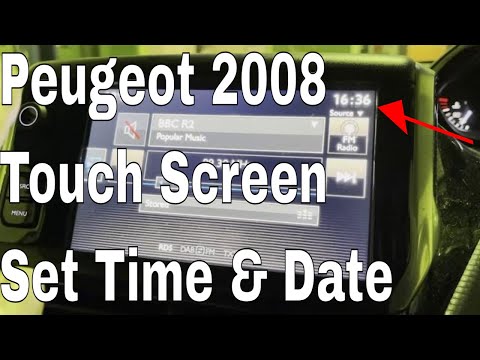
Peugeot 2008
(2013-2019 /
MK 1)
Setting the date and time on the Peugeot 2008 is very simple: starting from the RADIO screen, use the MENU button to navigate to the touchscreen wher…

Peugeot 2008
(2019-2026 /
MK 2)
In this video, we see how the lane keeping system works on a Peugeot 2008: we press the button with the car icon on the central console (under the sc…

Peugeot 2008
(2019-2026 /
MK 2)
If you want to set the correct time displayed on your Peugeot 2008 (year 2023), all you have to do is carefully read the steps described in this new …
Other guides you may be interested in
|
How to Replace the External Wing Mirror on a Ford C MAX
In the event of a breakage, it will be necessary to replace the external wing mirror on the 2011 Ford C MAX. This operation is easily performed independently. Start by removing the internal cover of the mirror with a plastic lever. Then, use a socket wrench to remove the securing pins. Once the pins are removed, you can take off the mirror, but not before disconnecting the power connectors. Then proceed to fit the new mirror. First, connect the connectors and then secure the mirror to its housing with the pins. Refit the plastic cover and test the operation of the electric mirror using the controls. by ScegliAuto More videos
|

|
For advertising on this site Write to info@scegliauto.com
ScegliAuto is not responsible for any inaccuracy of the data in the lists. To report any inaccuracy or your business (if you own the business in question), please write to info@scegliauto.com
Number of seconds to generate the page: 0.309
(c) ScegliAuto 2026 - info@scegliauto.com - Privacy policy VAT number: IT01247470535 |
