
|
Do it yourself
| |||
| ||||


How to Change Profile on the Peugeot 2008 Cockpit
Model: Peugeot 2008
MK 2
- Years 2019-2026
In this video, learn how to quickly change the profile on the Peugeot 2008 cockpit. Press the voice assistant button: say "hello" and the voice responds, "which user profile would you like to select?" Say "profile one" and the voice confirms that profile one has been selected, also greeting you with "hello Alberto," as that is the name of profile one. Consequently, the photo, setting colour, and all details related to profile one will change. Using the same system, simply say "hello" to switch to the second profile. You can also select the profile by saying "switch to the first profile" or "switch to the second profile," but it's nice to do it with just a "hello."
Updated on 18 September 2026 by ScegliAuto
Video tutorial
Related tutorials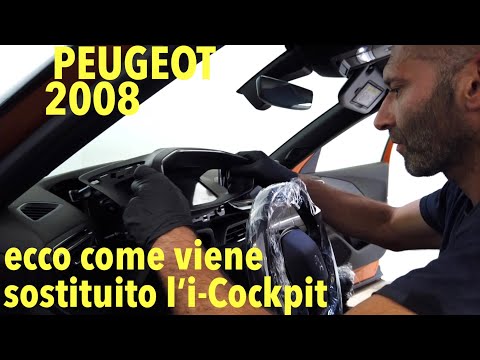
Peugeot 2008
(2019-2026 /
MK 2)
In this video, observe a warranty intervention on Peugeot 2008 models suffering from a defect: the glass has become completely opaque, making the ins…

Peugeot 2008
(2019-2026 /
MK 2)
In this video we see how to change the language on the multimedia screen of a Peugeot car; in this case it is a 2008, but the same system applies to …

Peugeot 2008
(2019-2026 /
MK 2)
Let's see how unfortunately it is still not possible to display the navigator on the i-cockpit of the Peugeot 2008, despite some videos and images su…
Other guides you may be interested in
|
Fuses Location and Diagram for the Volkswagen Crafter
In this guide, we will look at the location of the fuse boxes and how to find their diagram for the Volkswagen Crafter. First, get inside the vehicle and start by removing the plastic cover found under the steering wheel, to access the internal fuse box; you will find another fuse box in the engine compartment by removing the plastic cover located next to the battery. At this point, use the owner's manual to find the fuse diagram, which will allow you to identify and replace any blown fuses with new ones! by ScegliAuto More videos
|

|
For advertising on this site Write to info@scegliauto.com
ScegliAuto is not responsible for any inaccuracy of the data in the lists. To report any inaccuracy or your business (if you own the business in question), please write to info@scegliauto.com
Number of seconds to generate the page: 0.051
(c) ScegliAuto 2026 - info@scegliauto.com - Privacy policy VAT number: IT01247470535 |
