
|
Do it yourself
| |||
| ||||


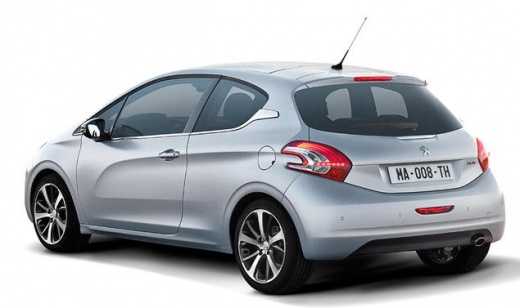
How to Dismantle the USB Console on a Peugeot 208
Model: Peugeot 208
MK 1, A9
- Years:
2012, 2013, 2014, 2015, 2016, 2017, 2018, 2019
Video tutorial
Using a plastic lever (not metal, or you will scratch everything!), remove the frame of your onboard computer. Once done, you will notice a connection related to the radio volume: disconnect it. As shown in the video, unscrew the screws that secure the computer to the casing. Then, disconnect the other connections as well. At this point, the outer casing will detach. To continue dismantling, unscrew the other four screws now visible to remove the black plastic. Now, simply unscrew the other four smaller screws at the top, and you can slide out the main part of the onboard computer. Disconnect the connections, and if you want to install a new navigator/console, proceed in reverse.
Updated on 12 April 2026 by ScegliAuto
Related tutorials
Peugeot 208
(2012-2019 /
MK 1, A9)
To update the SMEG radio in the Peugeot 208, insert the USB stick containing the update file into the designated USB port located under the central d…

Peugeot 208
(2019-2026 /
UP, UW, UB, UJ, MK 2)
To update the touchscreen system on your Peugeot 208, you can follow these general steps. Go to the official Peugeot website or use the "MyPeugeot" a…

Peugeot 208
(2019-2026 /
UP, UW, UB, UJ, MK 2)
To update the navigation software of the Peugeot 208, you need to insert a USB stick into the appropriate socket located on the central dashboard pan…
Other guides you may be interested in
|
How to Reset the Tire Pressure Light on a MG ZS?
On the instrument cluster of the MG ZS, the tire pressure light that appears can be reset by inflating the tires to the correct pressure: this value will be indicated on the sticker attached to the driver's door pillar. Once the tires have been properly inflated, you can turn on the instrument cluster and navigate through the menu until you find the option that indicates tire pressure: if this screen shows the new values, the light will turn off; otherwise, you will need to drive for a few miles so that the sensors can read the new values and turn off the light afterward. by ScegliAuto More videos
|
For advertising on this site Write to info@scegliauto.com
ScegliAuto is not responsible for any inaccuracy of the data in the lists. To report any inaccuracy or your business (if you own the business in question), please write to info@scegliauto.com
Number of seconds to generate the page: 0.022
(c) ScegliAuto 2026 - info@scegliauto.com - Privacy policy VAT number: IT01247470535 |
