
|
Do it yourself
| |||
| ||||


Resetting BSI (Body Control) in Peugeot
Model: Peugeot 206
MK 1
- Years:
1998, 1999, 2000, 2001, 2002, 2003, 2004, 2005, 2006, 2007, 2008, 2009
Video tutorial
Today, reset the BSI (Body Control) with a few simple steps. First, lower the driver's side window and lift the car's bonnet. Ensuring all doors are properly closed, remove the keys from the ignition by leaning out of the window. Now wait for 3 minutes, then disconnect at least one battery terminal and wait for 15 seconds. Now reconnect the terminal and wait another 10 seconds without opening any doors. Leaning out of the window again, activate the side lights and then start the car to check the system's functionality. Press the lock button on the key for 10 seconds and then remove it. Open and close the doors to test the central locking system, and now you can start the car and complete the system check.
Updated on 30 April 2026 by ScegliAuto
Related tutorials
Peugeot 206
(1998-2012 /
MK 1)
In this video, we will see how to desolder and then replace the board of a BSI (Body computer) in a Citroen/Peugeot. First, we need to open the BSI b…

Peugeot 206
(1998-2012 /
MK 1)
It is well known that especially in South American countries, the Eco mode issue is particularly felt, as it limits both performance and electrical f…
Peugeot 206
(1998-2012 /
MK 1)
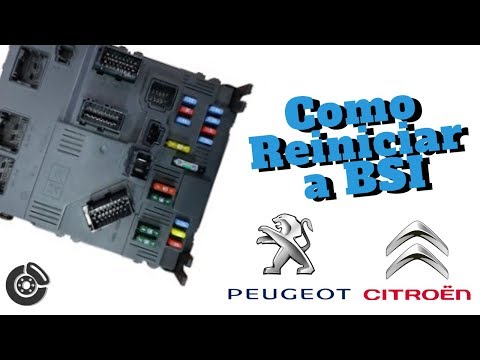
This guide explains how to reset the BSI unit on the Peugeot 206, following the instructions below. First, open the bonnet of your car and disconnect…
Other guides you may be interested in
|
Frequently Asked QuestionsHow to Set the Time in an Audi A4?
In this tutorial, you will see how to set the time in an Audi A4, a very simple and quick operation to perform after replacing the battery or when the time changes. First, insert the key and turn on the instrument cluster. Then, press the "SETUP" button located on the center console. Next, press the upper left arrow button, navigate to the "Time" option, and use the central knob to adjust the clock. Finally, set any necessary formats and save by returning to the main screen. by ScegliAuto More videos
|
|
For advertising on this site Write to info@scegliauto.com
ScegliAuto is not responsible for any inaccuracy of the data in the lists. To report any inaccuracy or your business (if you own the business in question), please write to info@scegliauto.com
Number of seconds to generate the page: 0.116
(c) ScegliAuto 2026 - info@scegliauto.com - Privacy policy VAT number: IT01247470535 |
