
|
Do it yourself
| |||
| ||||


How to Replace the ABS Sensor and Reset the Light on a Peugeot 206
Model: Peugeot 206
MK 1
- Years:
1998, 1999, 2000, 2001, 2002, 2003, 2004, 2005, 2006, 2007, 2008, 2009
Video tutorial
Next, we will see the steps to remove and replace the ABS sensor and reset the light that appears on the dashboard of the Peugeot 206. First, lift the vehicle and remove the front wheel; then unscrew the ABS sensor fixing screw, disconnecting the cable to remove it, as shown in the video. Now, install the new original ABS sensor, securing it properly; to reset the light, a computer with the appropriate diagnostic software is required, connecting it via the OBD port located under the steering wheel.
Updated on 25 July 2026 by ScegliAuto
Related tutorials
Peugeot 206
(1998-2012 /
MK 1)
To replace an ABS sensor on a Peugeot 206, park the car on a flat surface, engage the handbrake, and safely lift the affected wheel. Remove the wheel…
Peugeot 206
(1998-2012 /
MK 1)
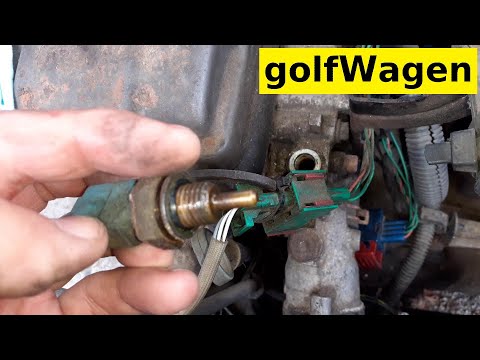
How to remove the temperature sensor from a Peugeot 206? Let’s look at removing the sensor from inside the engine bay. Lift the front bonnet of the c…

Peugeot 206
(1998-2012 /
MK 1)
Is the MAP sensor on your Peugeot 206 due for replacement? Let's see how to remove the sensor from inside the engine bay. Lift the front bonnet and s…
Other guides you may be interested in
|
Frequently Asked QuestionsWhere are the fuses located on the Renault Laguna?
On the Renault Laguna, the fuses are located inside the fuse boxes installed in the vehicle: in this car model, you will find two boxes for containing the fuses. The first is in the fuse box on the left side of the dashboard, accessible by opening the driver's door: here you will find the fuses for the windscreen wipers, fog lights, horn, etc. The second box is located on the right side of the engine compartment: here you will find the fuses for the dipped headlights, radiator fan, alternator, etc. by ScegliAuto More videos
|
|
For advertising on this site Write to info@scegliauto.com
ScegliAuto is not responsible for any inaccuracy of the data in the lists. To report any inaccuracy or your business (if you own the business in question), please write to info@scegliauto.com
Number of seconds to generate the page: 0.026
(c) ScegliAuto 2026 - info@scegliauto.com - Privacy policy VAT number: IT01247470535 |
