
|
Do it yourself
| |||
| ||||


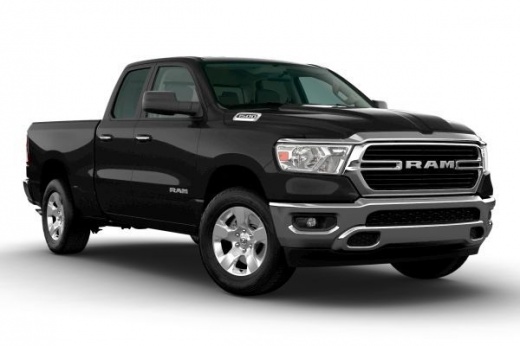
How to Align the Headlight Beam of the RAM 1500
Model: RAM 1500
MK 5, DT
- Years:
2019, 2020, 2021, 2022, 2023, 2024, 2025, 2026
Video tutorial
Do you notice that the headlight beam is uneven or that you are blinding other drivers? It may be time to adjust the beam. Open the hood and locate the adjustment screws near the headlights. They are plastic, so be careful when adjusting them to avoid breaking. Use a socket extension and the appropriate Allen wrench to make the adjustment. It's best to position the vehicle in front of a wall to have a reference point for the adjustment. Additionally, the angle of the light beam is usually indicated, and it would be wise to measure the distance between the vehicle and the wall to make a proper adjustment.
Updated on 1 June 2026 by ScegliAuto
Related tutorials
RAM 1500
(2019-2026 /
MK 5, DT)
In this guide, you will find instructions to adjust the height of the headlights on a RAM 1500. First, position yourself in front of a fixed referenc…
RAM 1500
(2009-2019 /
DS, DJ, MK 4)
This brief guide explains how to remove and replace the headlights on the fourth generation RAM 1500, from 2011 to 2017. First, open the hood and sta…

RAM 1500
(2019-2026 /
MK 5, DT)
The fuse boxes of the RAM 1500 are responsible for containing the fuses that regulate the operation of the devices installed on the vehicle: in this …
Other guides you may be interested in |
How to Reset the Tire Pressure Light on a MG ZS?
On the instrument cluster of the MG ZS, the tire pressure light that appears can be reset by inflating the tires to the correct pressure: this value will be indicated on the sticker attached to the driver's door pillar. Once the tires have been properly inflated, you can turn on the instrument cluster and navigate through the menu until you find the option that indicates tire pressure: if this screen shows the new values, the light will turn off; otherwise, you will need to drive for a few miles so that the sensors can read the new values and turn off the light afterward. by ScegliAuto More videos
|
|
For advertising on this site Write to info@scegliauto.com
ScegliAuto is not responsible for any inaccuracy of the data in the lists. To report any inaccuracy or your business (if you own the business in question), please write to info@scegliauto.com
Number of seconds to generate the page: 0.025
(c) ScegliAuto 2026 - info@scegliauto.com - Privacy policy VAT number: IT01247470535 |
