
|
Do it yourself
| |||
| ||||


How to Reset the Oil Light on Dodge Ram 2500
Model: RAM 2500
MK 4, D2, DS, DJ
- Years 2009-2019
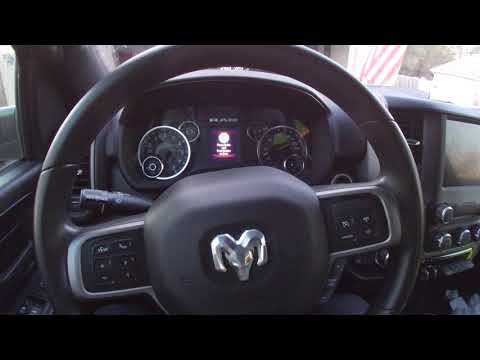
In this video tutorial, you can reset the oil light on a Dodge Ram 2500 by following a few simple steps that will guide you towards proper vehicle management. First, change the oil in your vehicle; then, get in your truck and look at the display that says: "Press brake and push button to start". Now, press the button twice to turn on the instrument cluster, and press the accelerator pedal three times; press the button to turn off the instrument cluster and then turn it back on. Reset completed; now the display will show "No stored Messages".
Updated on 18 June 2026 by ScegliAuto
Video tutorial
Related tutorials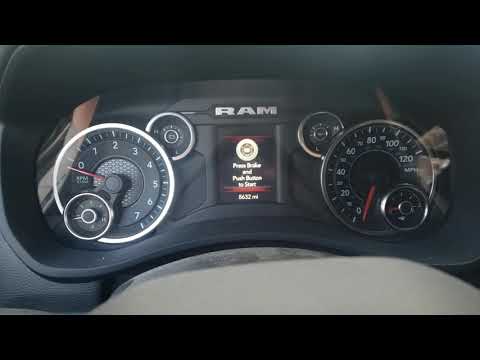
RAM 2500
(2019-2026 /
DT, MK 5)
In this new mini guide, you will learn how to easily and quickly reset the oil change warning light on the new Dodge RAM 2500. The first step is to p…

RAM 2500
(2009-2019 /
MK 4, D2, DS, DJ)
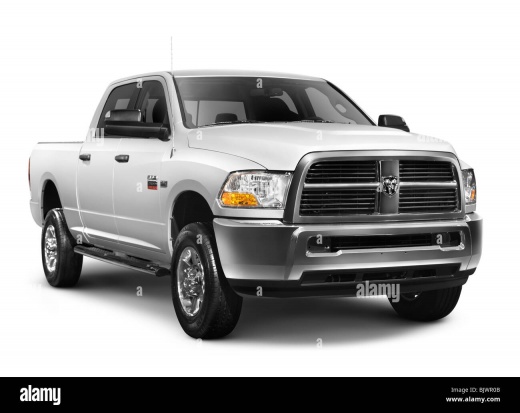
Resetting the oil change light on a 2016 Dodge RAM 2500 is really simple and takes just a few seconds. This operation can be performed by anyone, eve…
RAM 2500
(2019-2026 /
DT, MK 5)
The new Dodge RAM 2500 features several aesthetic and technical updates, including a new navigation system within the menu that offers a more intuiti…
Other guides you may be interested in
|
How to Bleed the Clutch on a Renault Clio?
To bleed the clutch on a Renault Clio, open the bonnet to access the components located in the engine bay: here, you will need to undo the screws that secure the battery in its housing, the intake manifold, and the coolant reservoir. This will allow you to locate the pipe through which the brake fluid flows: by inserting the other end of the pipe into a container, you can press the clutch pedal to expel all the fluid until it fills the container. by ScegliAuto More videos
|
|
For advertising on this site Write to info@scegliauto.com
ScegliAuto is not responsible for any inaccuracy of the data in the lists. To report any inaccuracy or your business (if you own the business in question), please write to info@scegliauto.com
Number of seconds to generate the page: 0.257
(c) ScegliAuto 2026 - info@scegliauto.com - Privacy policy VAT number: IT01247470535 |
