
|
Do it yourself
| |||
| ||||


Renault Trafic - Onboard computerOnboard Computer Renault Trafic (2014-2027 / mk 3) Renault Trafic (2014-2026 / MK 3)
How to change the language of the instrument panel of the 2022 Renault Trafic. Today we will explain how to change the language of the menu on the instrument panel of the 2022 Renault Trafic. Turn on the instrument panel and press the …Read all… Posted on 28 December 2025 by ScegliAuto  Renault Trafic (2014-2026 / MK 3)
How to enable and disable the driving style indicator on the Renault Trafic III Let's see how to enable and disable the driving style indicator on the Renault Trafic III: this is a system designed to analyze and evaluate how a driver uses …Read all… Posted on 11 May 2025 by ScegliAuto  Renault Trafic (2014-2026 / MK 3)
How to set the language on the Renault Trafic, Kangoo, and Master Setting the Italian language on the on-board computer of the Renault Master follows the same steps to be performed on a Renault Trafic or Kangoo. To perform …Read all… Posted on 6 February 2025 by ScegliAuto 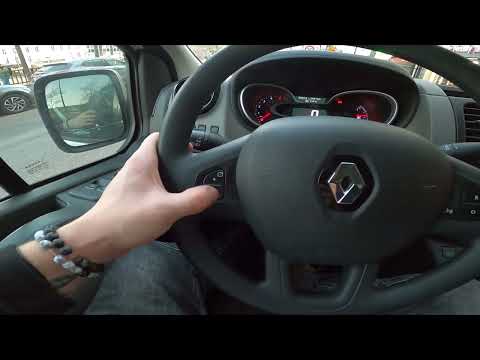 Renault Trafic (2014-2026 / MK 3)
How to Enable the Speed Limiter on the Renault Trafic III In this video, you will see how to enable and disable the speed limiter on the Renault Trafic III. This is a very important function, especially useful on …Read all… Posted on 14 September 2026 by ScegliAuto 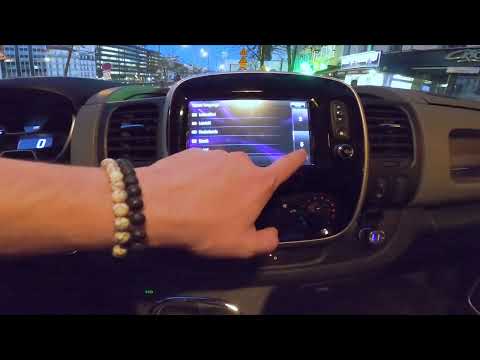 Renault Trafic (2014-2026 / MK 3)
How to Change the System Language on a Renault Trafic 3 To change the system language on your Renault Trafic third series (2014-2023), follow these steps. First, enter the vehicle and take your seat. Once the door …Read all… Posted on 18 July 2026 by ScegliAuto Airbag (3) Alternator (5) Shocks (3) Air conditioning (1) Car stereo (7) Battery (15) Control arm (1) Grille (2) Transmission (1) Body (1) Key (9) Timing belt (2) A/C controls (1) Onboard computer (5) Checks and maintenance (28) Dashboard (2) Side marker light (2) Headlight (8) Tail light (5) Fog lights (1) Diesel particulate filter (1) Air filter (6) Cabin air filter (8) Diesel fuel filter (9) Oil filter (1) Parking brake (1) Grille (1) A/C system (1) Accessory kit (1) Light bulb (3) Headlight bulb (11) Tail light bulb (1) Interior dome light bulb (2) Instrument panel light (1) License plate light (1) (1) Handle (3) Engine (1) Starter motor (9) Transmission fluid (1) Engine oil (5) Clock (12) Door trim panel (1) Front bumper (5) Rear bumper (1) Brake pads (2) Shift knob (2) Pump (1) Car door (4) Push button (1) Instrument cluster (6) Radiator (1) Heater core (1) Wheel (3) Fuse box (26) Seat (8) Door lock (1) Brake system (1) Side mirror (3) AdBlue warning light (18) Warning light – error code (26) (9) Tire pressure warning light (1) Service warning light (115) Windshield wipers (2) Tie rods (1) Turbocharger (3) EGR valve (5) Blower motor (2) Steering wheel (2) |
How to change the time on a Toyota Yaris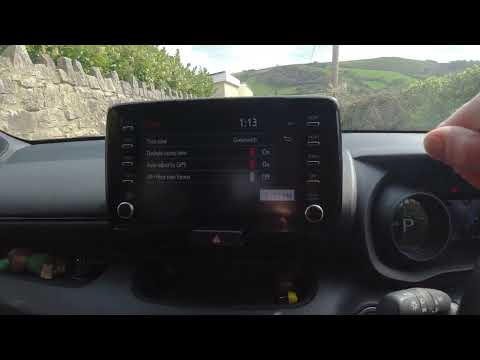
In this video we see how to change the time on a Toyota Yaris, specifically when it comes to switching from daylight saving time to standard time and vice versa. We go to the multifunction screen and press "settings": from there we go to press the clock, simply click on daylight saving time, and the clock will change the time for us, without doing anything else. All we want to do is just adjust the time format to 12 or 24 hours, as is customary in the area where we live: for example in Anglo-Saxon countries it is common to set the time to 12 hours, while in the European Union it is normally set to 24 hours. by ScegliAuto More videos
|
|
For advertising on this site Write to info@scegliauto.com
ScegliAuto is not responsible for any inaccuracy of the data in the lists. To report any inaccuracy or your business (if you own the business in question), please write to info@scegliauto.com
Number of seconds to generate the page: 0.009
(c) ScegliAuto 2026 - info@scegliauto.com - Privacy policy VAT number: IT01247470535 |
