
|
Do it yourself
| |||
| ||||


How do you set the time on the Renault Master 3?
Model: Renault Master
MK 3
- Years 2010-2023
The need to adjust the clock of a vehicle arises from various factors, such as disconnecting the power supply battery, entering daylight saving time or legal time, and so on. In the Renault Master 3, this option is easily adjustable using the right lever on the steering wheel, or rather the two buttons at its end. With the upper one, with the instrument panel on, we enter the Options menu and select the Set Clock option, while with the lower one we enable the setting. We will proceed first with setting the hours and immediately after the minutes, finishing everything by holding down the aforementioned lower button to confirm.
Posted on 26 March 2025 by ScegliAuto
Video tutorial
Related tutorials
Renault Master
(1997-2010 /
MK 2)
In order to adjust the sliding door on the Renault Master, you need to open it to locate the screws that are located at the hinges. Once you have ide…

Renault Master
(1997-2010 /
MK 2)
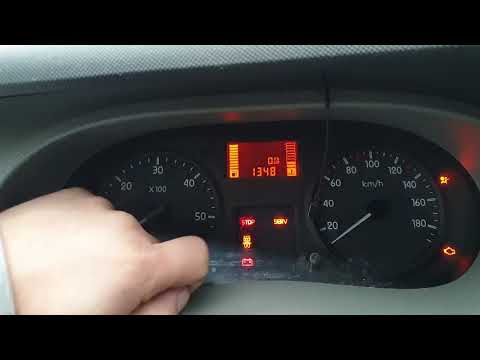
In a few simple steps, we will see how to adjust the time on the instrument panel of the Renault Master. First of all, we get on board the vehicle an…
Renault Master
(1997-2010 /
MK 2)
Thanks to today's very short video tutorial, we can see how to adjust the time on a second-generation Renault Master, a model in production from 1997…
Other guides you may be interested in
|
How to Change the Dashboard of the Volkswagen Polo
First, ensure your safety by disconnecting and lifting the bonnet to disconnect the battery cables. Next, start removing the components of the central column of the vehicle, where the stereo and various controls are located. After disconnecting the plugs, remove the bolts securing these parts to the bottom of the dashboard. Lift the central glove compartment with a screwdriver to remove it and unscrew the screws at the back. Now, simply remove the last screws indicated in the video to extract the entire central column, and you're done! by ScegliAuto More videos
|
|
For advertising on this site Write to info@scegliauto.com
ScegliAuto is not responsible for any inaccuracy of the data in the lists. To report any inaccuracy or your business (if you own the business in question), please write to info@scegliauto.com
Number of seconds to generate the page: 0.151
(c) ScegliAuto 2026 - info@scegliauto.com - Privacy policy VAT number: IT01247470535 |
