
|
Do it yourself
| |||
| ||||


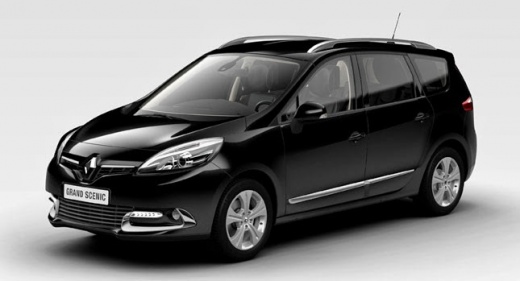
How to make a key to remove the front part of a Renault radio
Model: Renault Scenic
MK III, Scenic III, Scenic 3, MK 3
- Years:
2009, 2010, 2011, 2012, 2013, 2014, 2015
Video tutorial
In this video we can see a brilliant system for making the keys to remove a Renault radio from its housing. In reality, these keys can be bought for a few euros a pair, on any e-commerce platform, but why give up the satisfaction of making them yourself, especially if they work just as well? The youtuber teaches us how to make them with wire hangers that are usually given to us with the clothes we pick up from the laundry. If we find the exact point to cut them, they have exactly the same size as the small hole on the sides of the front of the radio. By inserting the wire inside - we have in our hands the part that we will normally attach to the wardrobe pole - we will make the spring snap and we will be able to remove the front, all at no cost.
Posted on 11 October 2025 by ScegliAuto
Related tutorials
Renault Scenic
(2003-2009 /
Scenic 2, MK 2)
Learn how to enter the radio code after removing the battery or replacing the stereo on a Renault Scenic. This is a very simple operation: enter the …
Renault Scenic
(1993-2003 /
Scenic 1, RX4, MK 1)
To replace the radio in a Renault Scenic, use a tool to pry off the plastic panel that surrounds the radio and the central part of the dashboard. Onc…
Renault Scenic
(1996-2003 /
)
Let’s look at the removal and installation of the radio in a Renault Scenic. Use the original metal keys that came with the radio. Insert the keys in…
Other guides you may be interested in
|
How to reset the tyre pressure warning light on the Kia Niro EV?
To reset the tyre pressure warning light on the Kia Niro EV, inflate the tyres until they reach the correct pressure value. This value is indicated on the sticker attached to the driver's door pillar. Once the tyres are inflated, turn on the instrument cluster to check that the warning light has completely disappeared from the display. If it is still present, you may need to drive for a few miles to ensure it disappears completely from the screen. by ScegliAuto More videos
|
|
For advertising on this site Write to info@scegliauto.com
ScegliAuto is not responsible for any inaccuracy of the data in the lists. To report any inaccuracy or your business (if you own the business in question), please write to info@scegliauto.com
Number of seconds to generate the page: 0.087
(c) ScegliAuto 2026 - info@scegliauto.com - Privacy policy VAT number: IT01247470535 |
