
|
Do it yourself
| |||
| ||||


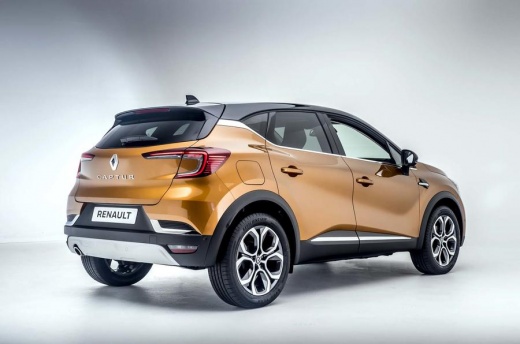
How do you reset the tire warning light on a Renault Captur?
Model: Renault Captur
MK 2
- Years:
2019, 2020, 2021, 2022, 2023, 2024, 2025, 2026
Video tutorial
The video demonstration presented here is aimed at the majority of Renault group cars, including the Renault Captur mentioned in the subject. We are discussing a tire pressure anomaly, which means that there is one or more flat or punctured tires. The restoration will only be possible when the inflation pressure value is equal to that specified by the manufacturer and not less. To proceed with the reset, we need to: turn on the instrument panel, press the multifunction button on the right side of the steering wheel, then on the touchscreen, select the Info icon, Tire Pressure, System Initialization. Operation completed.
Posted on 31 December 2025 by ScegliAuto
Related tutorials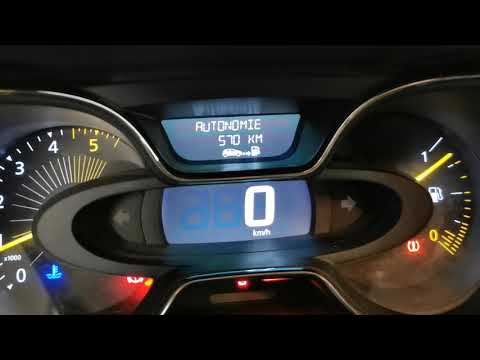
Renault Captur
(2013-2019 /
MK 1)
To reset the tyre pressure warning light on the Renault Captur, first inflate all the tyres to the correct pressure value: once they are inflated, yo…

Renault Captur
(2019-2026 /
MK 2)
To completely make the tire pressure warning light disappear from the instrument panel of the Renault Captur, you need to inflate the tires until the…
Renault Captur
(2013-2019 /
MK 1)
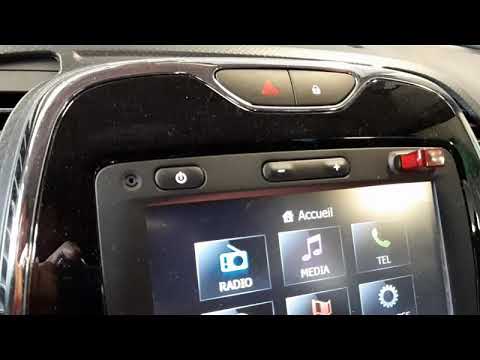
To reset the tyre pressure warning light on the Renault Captur, first inflate the tyres to the correct pressure, which is indicated on the sticker af…
Other guides you may be interested in
|
Where is the Engine Fan Fuse Located in a Citroen C3?
The Citroen C3 contains two fuse boxes. The first fuse box is located inside the cabin behind the passenger side glove compartment. The second fuse box is under the bonnet near the battery. The fuse for the engine fan is located in the second fuse box and is labelled F8, rated at 25 Amperes. To replace the fuse, open the fuse box cover, remove the fuse with pliers, and insert a new fuse of the same amperage. Close the fuse box and the bonnet. by ScegliAuto More videos
|
|
For advertising on this site Write to info@scegliauto.com
ScegliAuto is not responsible for any inaccuracy of the data in the lists. To report any inaccuracy or your business (if you own the business in question), please write to info@scegliauto.com
Number of seconds to generate the page: 0.020
(c) ScegliAuto 2026 - info@scegliauto.com - Privacy policy VAT number: IT01247470535 |
