
|
Do it yourself
| |||
| ||||


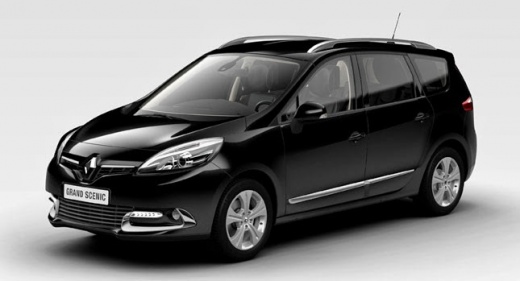
How to Replace the Centre Air Conditioning Grille on a Renault Scenic III
Model: Renault Scenic
MK III, Scenic III, Scenic 3, MK 3
- Years:
2009, 2010, 2011, 2012, 2013, 2014, 2015
Video tutorial
To replace the centre air conditioning grille on a Renault Scenic III, grasp it with your hands and pull firmly towards you; it will detach thanks to the retaining clips (they may make a popping sound, which is normal); disconnect the electrical connectors and insert the new grille (you can find a good quantity of used ones online at great prices; no need for purchase advice on used parts). Align the clips of the new grille with their respective housings on the dashboard; press firmly first in the centre, then progressively towards the edges to ensure an even fit. Turn on the system to check the correct installation.
Posted on 31 January 2026 by ScegliAuto
Related tutorials
Renault Scenic
(2009-2015 /
MK III, Scenic III, Scenic 3, MK 3)
In order to change the air conditioning mode, you will first need to turn on the instrument panel by inserting the ignition key into the correspondin…

Renault Scenic
(2009-2015 /
MK III, Scenic III, Scenic 3, MK 3)
To ensure clean air circulation in the air conditioning system of the Renault Scenic, you must periodically replace the dedicated filter. Position yo…

Renault Scenic
(2009-2015 /
MK III, Scenic III, Scenic 3, MK 3)
In this video, we can see how to replace the air conditioning panel on the Renault Scenic III: we start by prying around the chrome trim of the gear …
Other guides you may be interested in
|
How to Set the Time in an Audi A4?
In this tutorial, you will see how to set the time in an Audi A4, a very simple and quick operation to perform after replacing the battery or when the time changes. First, insert the key and turn on the instrument cluster. Then, press the "SETUP" button located on the center console. Next, press the upper left arrow button, navigate to the "Time" option, and use the central knob to adjust the clock. Finally, set any necessary formats and save by returning to the main screen. by ScegliAuto More videos
|
|
For advertising on this site Write to info@scegliauto.com
ScegliAuto is not responsible for any inaccuracy of the data in the lists. To report any inaccuracy or your business (if you own the business in question), please write to info@scegliauto.com
Number of seconds to generate the page: 0.034
(c) ScegliAuto 2026 - info@scegliauto.com - Privacy policy VAT number: IT01247470535 |
