
|
Do it yourself
| |||
| ||||


How to Change the Battery in a Renault Trafic
Model: Renault Trafic
MK 2
- Years 2001-2014
The procedure for replacing the battery in a second-generation Renault Trafic involves locating the battery itself, which is found under the bonnet, on the right or centre side depending on the version. Open the bonnet and remove any plastic cover. First, disconnect the negative terminal (–), then the positive (+), to avoid short circuits. Unscrew the bracket or support that secures the battery and lift it out carefully, as it is heavy. Insert the new battery of the same type and amperage, secure it with the support, and reconnect the positive terminal first, followed by the negative. Reattach the covers and check the engine starts.
Posted on 21 March 2026 by ScegliAuto
Video tutorial
Related tutorials
Renault Trafic
(2014-2026 /
MK 3)
To change the battery of your Renault Trafic third series key yourself, follow the procedure described in this guide. First, ensure you have a flat-h…

Renault Trafic
(2014-2026 /
MK 3)
We can see in this video how to change the battery of a Renault Trafic version III; if we open the hood we will see the battery at the top right of t…
Renault Trafic
(2001-2014 /
MK 2)
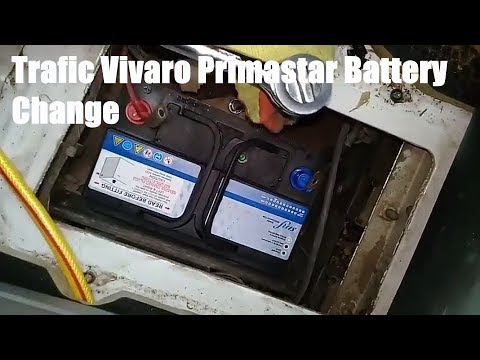
In this video, you will learn how to remove and replace the battery of a Renault Trafic and also an Opel Vivaro. First, access the battery compartmen…
Other guides you may be interested in
|
How to Check the Oil Level on a Jeep Renegade?
To check the oil level on a Jeep Renegade, you need to open the bonnet to access the components inside the engine bay: on the lower left side of the engine block, you will find the dipstick for checking the level. This should be pulled out and thoroughly cleaned with a cloth: once cleaned, reinsert it back into its tube and pull it out immediately after. This way, you can check that the oil mark is between the minimum and maximum levels; finally, you can place the dipstick back in its tube. by ScegliAuto More videos
|
|
For advertising on this site Write to info@scegliauto.com
ScegliAuto is not responsible for any inaccuracy of the data in the lists. To report any inaccuracy or your business (if you own the business in question), please write to info@scegliauto.com
Number of seconds to generate the page: 0.403
(c) ScegliAuto 2026 - info@scegliauto.com - Privacy policy VAT number: IT01247470535 |
