
|
Do it yourself
| |||
| ||||


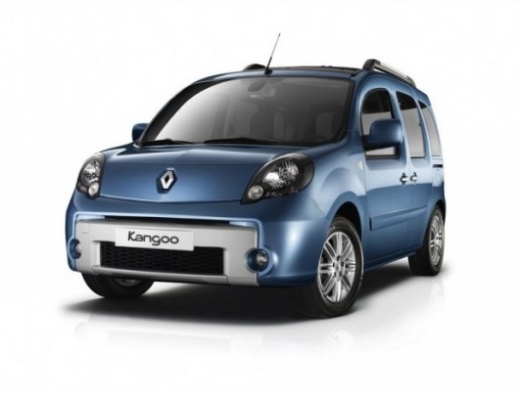
How to Remove the Sliding Door Trim of the Renault Kangoo 2?
Model: Renault Kangoo
MK 2, FC, FW
- Years:
2007, 2008, 2009, 2010, 2011, 2012, 2013, 2014, 2015, 2016, 2017, 2018
Video tutorial
The sliding side door of the Renault Kangoo 2, as seen in the example video, is equipped internally with a handle and armrest like all car doors, unless the vehicle is configured for commercial use. To remove the trim panel of this door, which is necessary to repair or replace the handle, for example, or for other maintenance tasks, start by removing the screw beneath the handle, then the screws from the armrest, and finally detach all the clips around the panel. At this point, simply pull it away with your hands.
Posted on 23 March 2026 by ScegliAuto
Related tutorials
Renault Kangoo
(2007-2021 /
MK 2, FC, FW)
To access the OBD port of your Renault Kangoo second generation, follow these steps. It only takes a few seconds to locate it. First, enter the vehic…

Renault Kangoo
(1997-2008 /
KC, MK 1, KW)
Replace the front headlight bulbs on a Renault Kangoo. Open and lift the front bonnet. Using a suitable screwdriver, remove the plastic cover at the …

Renault Kangoo
(1997-2008 /
KC, MK 1, KW)
Removing the starter motor from a Renault Kangoo? Here’s how to take it out from the engine bay. Open the car door and pull up the engine bay release…
Other guides you may be interested in
|
How to Reset the Tyre Pressure Warning Light on the Jeep Renegade?
To reset the tyre pressure warning light on the Jeep Renegade, inflate the tyres until they reach the recommended pressure: this value is indicated on the sticker attached to the driver’s door pillar. Once the tyres are properly inflated, navigate through the menu that appears on the instrument cluster until you find the tyre pressure option. At this point, press and hold the OK button on the right side of the steering wheel to make the warning light disappear. by ScegliAuto More videos
|
|
For advertising on this site Write to info@scegliauto.com
ScegliAuto is not responsible for any inaccuracy of the data in the lists. To report any inaccuracy or your business (if you own the business in question), please write to info@scegliauto.com
Number of seconds to generate the page: 0.034
(c) ScegliAuto 2026 - info@scegliauto.com - Privacy policy VAT number: IT01247470535 |
