
|
Do it yourself
| |||
| ||||


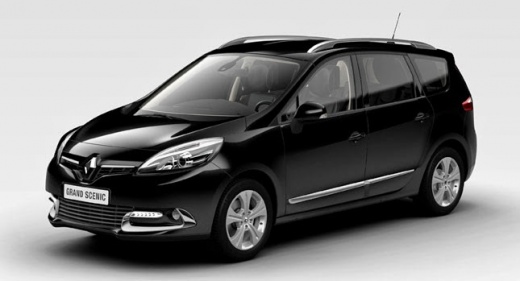
How to Reset the Handbrake on the Renault Scenic 3?
Model: Renault Scenic
MK III, Scenic III, Scenic 3, MK 3
- Years:
2009, 2010, 2011, 2012, 2013, 2014, 2015
Video tutorial
If the electronic handbrake on your Renault Scenic 3 is stuck, simply due to a temporary electronic error, you can attempt a DIY reset, all in an easy and quick manner. Here's what to do: with the handbrake engaged, press the accelerator pedal and turn on the instrument panel, release the pedal, press it again, disengage the handbrake and release the pedal just mentioned. Done, now the handbrake should be reset, unlocked and ready for use again.
Posted on 18 April 2026 by ScegliAuto
Related tutorials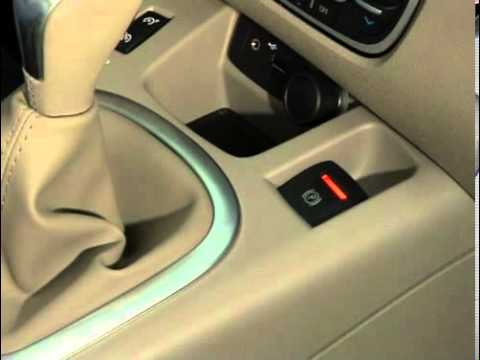
Renault Scenic
(2009-2015 /
MK III, Scenic III, Scenic 3, MK 3)
To manually release the handbrake on the Renault Grand Scenic, follow the steps shown in the video. First, press the brake pedal: while holding it do…

Renault Scenic
(2003-2009 /
Scenic 2, MK 2)
Commonly known as the handbrake, the handbrake on the Renault Scenic 2 can sometimes become stuck and be impossible to adjust using the lever inside …

Renault Scenic
(2016-2022 /
Scenic IV, Scenic 4, MK IV, MK 4)
The procedure described in this video is for manually deactivating the electronic parking brake on many Renault models, including the Grand Scenic. T…
Other guides you may be interested in
|
How to reset the tyre pressure warning light on the Dacia Sandero?
The tyre pressure warning light that appears on the instrument cluster of the Dacia Sandero can be reset by inflating the tyres until they reach the correct pressure value: this value is indicated on the sticker attached to the driver’s door pillar. Once the inflation is complete, navigate through the menu that appears on the instrument cluster to find the option related to the tyres: select this with the OK button, which should then be held down for a few seconds to completely turn off the light. by ScegliAuto More videos
|
|
For advertising on this site Write to info@scegliauto.com
ScegliAuto is not responsible for any inaccuracy of the data in the lists. To report any inaccuracy or your business (if you own the business in question), please write to info@scegliauto.com
Number of seconds to generate the page: 0.016
(c) ScegliAuto 2026 - info@scegliauto.com - Privacy policy VAT number: IT01247470535 |
