
|
Do it yourself
| |||
| ||||


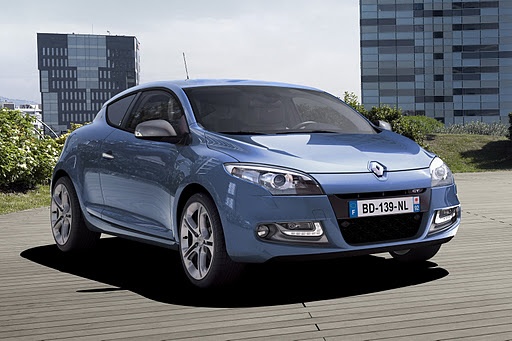
How to Reset the Service Light on the Renault Megane 3
Model: Renault Megane
Megane III, Megane 3
- Years:
2008, 2009, 2010, 2011, 2012, 2013, 2014, 2015
Video tutorial
Below are the instructions on how to correctly reset the service light on your Renault Megane 3. The steps are really simple and quick. First, turn on the ignition. At this point, you will notice the service light on. Go to the lever on the right of the steering wheel where you will find two buttons at the top. Press either one, it doesn't matter. Scroll until you find the option you need, in this case, "service" which will have an orange background. Once done, hold down the button above until the text starts to flash. Continue holding until the reset is complete, and you're done.
Posted on 26 May 2026 by ScegliAuto
Related tutorials
Renault Megane
(2002-2010 /
Megane 2)
To correctly reset the service light in your Renault Megane 2, the steps are really simple and quick, and they are as follows. First, insert the card…

Renault Megane
(2008-2015 /
Megane III, Megane 3)
In this very short tutorial, we will see how to reset the service light on a Renault Megane 3, model produced from 2008 to 2015. Start the procedure …

Renault Megane
(2008-2015 /
Megane III, Megane 3)
When the service light continues to appear on the display of the instrument panel of your Renault Megane mk3 (year 2014) even after having performed …
Other guides you may be interested in
|
Frequently Asked QuestionsHow to Reset the Tyre Light on a Toyota Aygo?
To reset the tyre light on a Toyota Aygo, start by locating the reset button, which is found in the glove compartment of the front passenger side. Turn on the car and ensure that the tyres are at the correct pressure. Then, press and hold the reset button for a few seconds until the tyre light either flashes or turns off, depending on the model. Release the button and wait for the reset procedure to complete. Restart your Toyota Aygo and check if the tyre light has turned off, indicating that the reset was successful. by ScegliAuto More videos
|
|
For advertising on this site Write to info@scegliauto.com
ScegliAuto is not responsible for any inaccuracy of the data in the lists. To report any inaccuracy or your business (if you own the business in question), please write to info@scegliauto.com
Number of seconds to generate the page: 0.021
(c) ScegliAuto 2026 - info@scegliauto.com - Privacy policy VAT number: IT01247470535 |
