
|
Do it yourself
| |||
| ||||


How to Reset the Service Light on the 2007 Renault Laguna
Model: Renault Laguna
MK III, X91, Laguna III, MK 3, Laguna 3
- Years:
2007, 2008, 2009, 2010, 2011, 2012, 2013, 2014, 2015
Video tutorial
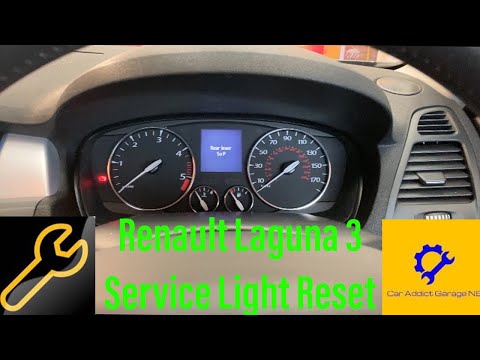
Today, learn how to reset the service light on a Renault Laguna model 3. Before resetting, it is important to carry out checks as specified by the manufacturer. Locate the "up arrow" and "down arrow" buttons on the wiper stalk to the right of the steering wheel. Close all vehicle doors and engage a gear. Turn on the instrument panel and by pressing the "up arrow" button, select the maintenance option with the remaining mileage indicator. Hold the button for the duration of the reset. Once completed, return to the main menu and restart the instrument panel.
Posted on 14 June 2026 by ScegliAuto
Related tutorials
Renault Laguna
(2007-2015 /
MK III, X91, Laguna III, MK 3, Laguna 3)
In this tutorial, you will see how to reset the service light in the Renault Laguna, a very simple and quick operation to perform only after completi…
Renault Laguna
(2007-2015 /
MK III, X91, Laguna III, MK 3, Laguna 3)
In this tutorial, you will see how to reset the service light on the Renault Laguna 3. Before performing this simple operation, ensure you have compl…

Renault Laguna
(2007-2015 /
MK III, X91, Laguna III, MK 3, Laguna 3)
When the service light on your car illuminates, it means it's time for a service. If you prefer to opt for a DIY maintenance approach, you also need …
Other guides you may be interested in
|
How to Reset the Tyre Pressure Warning Light on a Kia Rio?
The tyre pressure warning light displayed on the instrument cluster of the Kia Rio can be reset by inflating the tyres until they reach the recommended pressure value: this value is indicated on the sticker affixed to the driver's door pillar. Once all tyres have been inflated to the recommended pressure, turn on the ignition to check that the light has disappeared: if it is still present, it may be necessary to drive for a few miles, allowing the sensors to work and thus turning off the light. by ScegliAuto More videos
|
|
For advertising on this site Write to info@scegliauto.com
ScegliAuto is not responsible for any inaccuracy of the data in the lists. To report any inaccuracy or your business (if you own the business in question), please write to info@scegliauto.com
Number of seconds to generate the page: 0.020
(c) ScegliAuto 2026 - info@scegliauto.com - Privacy policy VAT number: IT01247470535 |
