
|
Do it yourself
| |||
| ||||


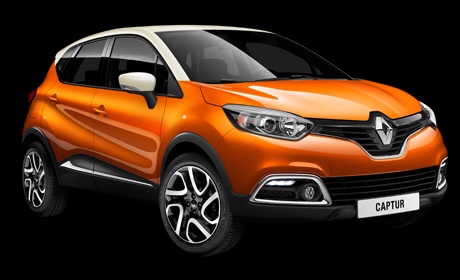
How to deactivate the speed warning on the Renault Captur?
Model: Renault Captur
MK 1
- Years 2013-2019
You can deactivate the speed warning on the Renault Captur by turning on the instrument panel, inserting the ignition key into the corresponding lock: once the panel is activated, navigate through the menu that appears on the display in the centre of the dashboard. Select the "Menu" option and then "System": on the next screen, select "Safety warnings". You can then uncheck the option "Warn when driving faster than allowed"; confirm your selection by returning to the main screen.
Posted on 22 September 2026 by ScegliAuto
Video tutorial
Related tutorials
Renault Captur
(2013-2019 /
MK 1)
If you want to intervene on one or more fuses of your Renault Captur, but you do not know where they are located, then all you have to do is read the…

Renault Captur
(2019-2026 /
MK 2)
In this guide, you will discover the instructions to activate and deactivate the sounds and alerts on the Renault Captur. First, get inside the vehic…

Renault Captur
(2019-2026 /
MK 2)
If you own a 2020 Renault Captur Hybrid with an automatic transmission and want to learn how to quickly and safely remove the gear knob, then all you…
Other guides you may be interested in
|
Frequently Asked QuestionsHow to Open the Fuel Filler Flap on the Volkswagen T-Cross
In this brief guide, find the instructions to open the fuel filler flap for refuelling on the Volkswagen T-Cross. First, ensure the door locks are unlocked by opening the vehicle with the remote; then press on the flap to open it, and unscrew the fuel cap to refuel at the pump, as shown in the video. At this point, screw the fuel cap back on and finally close the flap, pressing until it clicks shut. by ScegliAuto More videos
|
|
For advertising on this site Write to info@scegliauto.com
ScegliAuto is not responsible for any inaccuracy of the data in the lists. To report any inaccuracy or your business (if you own the business in question), please write to info@scegliauto.com
Number of seconds to generate the page: 0.118
(c) ScegliAuto 2026 - info@scegliauto.com - Privacy policy VAT number: IT01247470535 |
